In this article
Running a small business on TikTok can feel challenging when you run out of video ideas. You may have great products or services, but deciding what to post every day takes time, creativity and planning.
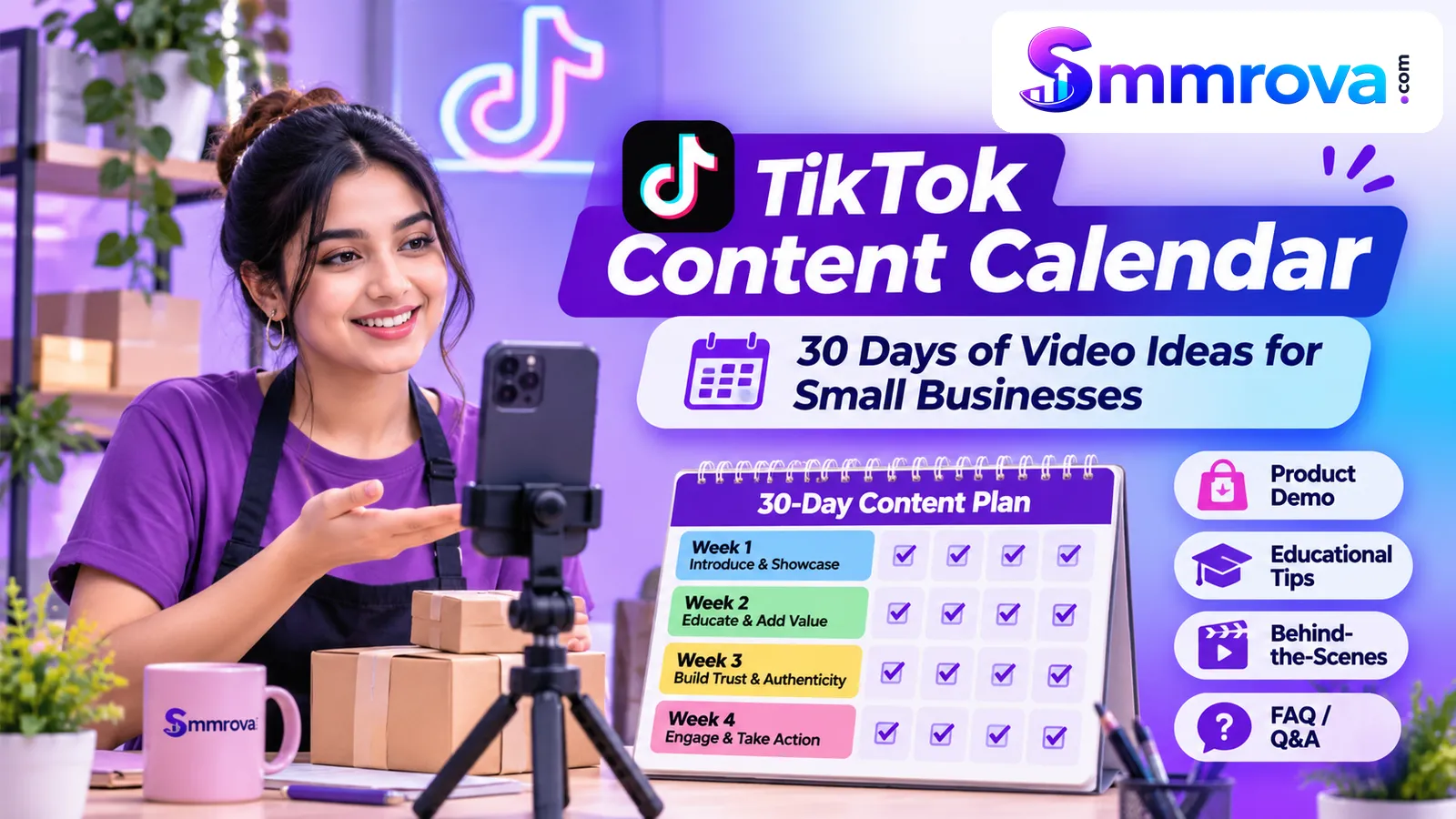
A practical TikTok content calendar for small business can make this process easier. Instead of thinking about a new idea whenever you want to publish, you can prepare topics in advance, organize different video formats and create content around the questions your customers actually ask.
In this guide, you will find 30 original TikTok video ideas arranged into a four-week content calendar. Each idea includes a suggested video concept, an opening hook and a call to action (CTA) that you can adapt to your own business.
Why Does Your Small Business Need a TikTok Content Calendar?
A content calendar is a simple plan that tells you what to publish, what each video should communicate and what action you want viewers to take.
It helps small businesses organize content without depending on random ideas or unrelated trends.
- Save planning time: Prepare multiple video topics in advance instead of brainstorming every day.
- Maintain content variety: Balance product demonstrations, tutorials, educational videos, FAQs and behind-the-scenes content.
- Answer customer questions: Turn common questions into useful video topics.
- Communicate your brand: Help viewers understand your products, services, people and business values.
- Improve your planning process: Review which topics generate useful responses and plan future content accordingly.
A calendar does not guarantee views or sales. Its purpose is to make your content production more organized and consistent.
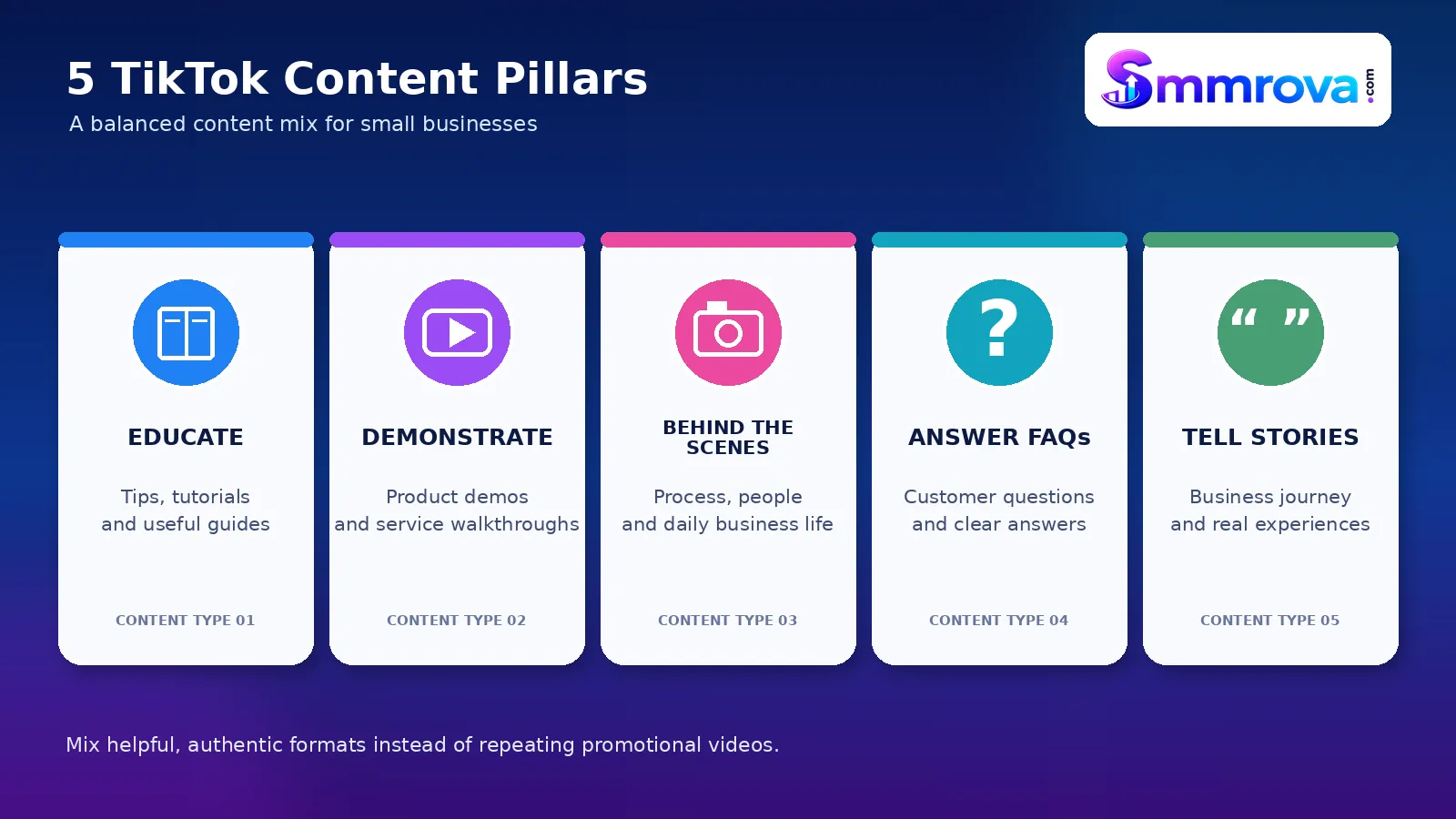
5 Types of TikTok Content Every Small Business Can Create
Before using the 30-day calendar, understand these five content categories. They will help you create a balanced mix of videos rather than publishing the same type of promotional content repeatedly.
1. Educational Content
Teach viewers something useful about your industry, product or service. Examples include quick tutorials, beginner tips, common mistakes and simple explanations.
2. Product and Service Demonstrations
Show how your product works, explain its features, demonstrate a service process or help customers understand available options.
3. Behind-the-Scenes Content
Show product preparation, packaging, team activities, your workspace or the process behind delivering a service.
4. Questions and Answers
Answer frequently asked questions, respond to relevant comments and explain information that customers usually want before making a decision.
5. Storytelling and Community Content
Share your business journey, customer experiences with permission, lessons learned and relatable stories that introduce the people behind your brand.
30-Day TikTok Content Calendar for Small Businesses
The following calendar contains 30 original video prompts divided into four weekly themes, followed by two bonus ideas. Adapt each prompt to your business type, audience and available resources.
Each idea includes three components:
- Video idea: What to create.
- Sample hook: How to introduce the video.
- CTA: What viewers can do next.
Week 1: Introduce Your Business and Products
The first week focuses on helping viewers understand who you are, what your business offers and why your products or services may be relevant to them.
Day 1: Tell Your Business Story
Video idea: Introduce your business, explain why you started it and share what inspired your products or services.
Sample hook: "Here's the story behind how we started our small business."
CTA: "Follow us to see more about our journey."
Day 2: Showcase One Product or Service
Video idea: Introduce one product or service and highlight its real features, purpose and practical use.
Sample hook: "Have you seen how this product works? Let us show you."
CTA: "Save this video if you want to check it out later."
Day 3: Show Behind-the-Scenes Work
Video idea: Record a genuine part of your daily business process, such as preparing an order, making a product or setting up your workspace.
Sample hook: "Here's what happens behind the scenes before your order is ready."
CTA: "What part of our process would you like to see next?"
Day 4: Explain a Customer Problem
Video idea: Identify one common problem your target customers experience and demonstrate how your product or service can help.
Sample hook: "Having trouble with this? Here's one practical thing you can try."
CTA: "Tell us about your experience in the comments."
Day 5: Introduce the Owner or Team
Video idea: Introduce yourself or someone from your team and explain their role in the business.
Sample hook: "Meet the people working behind this small business."
CTA: "Say hello in the comments."
Day 6: Answer a Beginner's Question
Video idea: Answer a basic question about your product, service, ordering process, delivery area or appointment procedure.
Sample hook: "Ordering from us for the first time? Here's what you need to know."
CTA: "Leave your questions below."
Day 7: Share Three Quick Tips
Video idea: Share three helpful tips related to your industry. A clothing shop could discuss outfit selection, while a restaurant might explain food storage or menu choices.
Sample hook: "Here are three useful tips you should know before choosing [product]."
CTA: "Save these tips for later."
Week 2: Educate Your Audience and Provide Value
During the second week, focus on practical information. Educational content can help potential customers understand your industry and make more informed decisions.
Day 8: Create a Step-by-Step Tutorial
Video idea: Demonstrate how to use a product, complete a task or follow a simple process related to your business.
Sample hook: "Let me show you how to do this in a few simple steps."
CTA: "Save this tutorial so you can follow it later."
Day 9: Explain a Common Mistake
Video idea: Explain one mistake customers commonly make when choosing, using or maintaining a product or service.
Sample hook: "Are you making this common mistake without realizing it?"
CTA: "Share this with someone who might find it helpful."
Day 10: Compare Two Options
Video idea: Compare two products, materials, service packages or solutions. Explain the practical differences and who each option may suit.
Sample hook: "Which one should you choose? Let's compare these two options."
CTA: "Which option would you choose and why?"
Day 11: Myth vs. Fact
Video idea: Identify a common misunderstanding in your industry and explain what is actually correct.
Sample hook: "Many people believe this about [topic], but here's what you should know."
CTA: "Did you know this already?"
Day 12: Share a Useful Shortcut
Video idea: Demonstrate a simple technique, shortcut or practical method that helps customers save effort or avoid confusion.
Sample hook: "Here's a simple trick that can make this task easier."
CTA: "Save this idea for your next time."
Day 13: Explain a Product Feature
Video idea: Focus on one specific product feature, material, ingredient or service detail and explain why it matters.
Sample hook: "Before choosing this product, here's one feature worth understanding."
CTA: "Ask us anything about this feature."
Day 14: Create a Buying Checklist
Video idea: Explain three to five things customers should check before purchasing a product or choosing a service.
Sample hook: "Planning to buy [product]? Check these things first."
CTA: "Keep this checklist for your next purchase."
Week 3: Build Trust and Show the Human Side of Your Business
The third week focuses on real experiences, business processes and customer interaction. Keep every customer story, review and result accurate, and get permission before using customer material.
Day 15: Show How You Prepare an Order
Video idea: Film the real process of checking, preparing and packaging an order before delivery.
Sample hook: "Come along while we prepare today's customer orders."
CTA: "Would you like to see more packaging videos?"
Day 16: Share a Customer Experience
Video idea: Present an authentic customer review or experience with permission. Avoid changing the customer's words or making unsupported results claims.
Sample hook: "Here's what one of our customers shared after their experience with us."
CTA: "Have you tried our product or service? Share your feedback."
Day 17: Reply to a Customer Comment
Video idea: Select a genuine question from your TikTok comments and create a video response explaining the answer.
Sample hook: "Someone asked us this important question, so let's explain."
CTA: "What else would you like us to explain?"
Day 18: Show Where Your Product Comes From
Video idea: Explain your sourcing, ingredients, materials or preparation process when the information is relevant and can be accurately shared.
Sample hook: "Have you ever wondered where our products come from?"
CTA: "Would you like more behind-the-scenes details?"
Day 19: A Day in the Life
Video idea: Record a short day-in-the-life video showing the real routine of running your shop, restaurant, agency or service business.
Sample hook: "A typical day running our small business looks like this."
CTA: "Which part of the day interests you most?"
Day 20: Feature Customer-Created Content
Video idea: Feature an authentic customer video, product photo or experience with their permission. Clearly identify customer-created content where appropriate.
Sample hook: "Here's how one of our customers used this product."
CTA: "Share your experience with us if you'd like to be featured."
Day 21: Demonstrate a Real-Life Use Case
Video idea: Show how your product or service fits into a realistic everyday situation. Focus on the actual use case instead of exaggerated promises.
Sample hook: "Here's one everyday situation where this can be useful."
CTA: "Can you think of another way to use it?"
Week 4: Encourage Conversation and Customer Action
In the final week, focus on helping viewers understand your offerings, explore relevant options and interact with your business.
Day 22: Create a This-or-That Video
Video idea: Present two colours, styles, flavours, packages or product options and ask viewers which they prefer.
Sample hook: "We need your opinion. Which of these two would you choose?"
CTA: "Comment A or B below."
Day 23: Introduce Your Business Location
Video idea: Show your physical store, service location or delivery area. Provide accurate directions or location information where appropriate.
Sample hook: "Looking for our shop? Here's where you can find us."
CTA: "Save our location for your next visit."
Day 24: Show Available Product Variations
Video idea: Showcase available sizes, colours, designs, flavours or service options and explain the differences.
Sample hook: "Not sure which option suits you? Let's look at what's available."
CTA: "Tell us which variation you prefer."
Day 25: Answer Three Frequently Asked Questions
Video idea: Combine three short questions customers often ask about your product or service into one useful video.
Sample hook: "We receive these three questions regularly, so let's answer them."
CTA: "Leave your next question in the comments."
Day 26: Adapt a Relevant TikTok Trend
Video idea: Explore a current trend, sound or creative format and adapt it to your product or industry only when it genuinely fits your brand.
Sample hook: Use a suitable trend format to introduce a relatable business situation.
CTA: "Tag someone who can relate to this."
For research, you can explore TikTok Creative Center's Trends section to filter trending hashtags by industry and time period. Check whether a trend is relevant to your intended audience before using it.
Official resource: How to Use TikTok Trends.
Day 27: Show a Team Favourite
Video idea: Let a team member choose their favourite product, feature, service or part of the business and explain why.
Sample hook: "We asked our team to choose their favourite product. Here's the result."
CTA: "What's your personal favourite?"
Day 28: Create a Helpful Monthly Recap
Video idea: Summarize a few useful tips, popular questions or product details from your previous videos in one short recap.
Sample hook: "Missed our recent videos? Here are some useful things we covered."
CTA: "Which topic should we explain in more detail next month?"
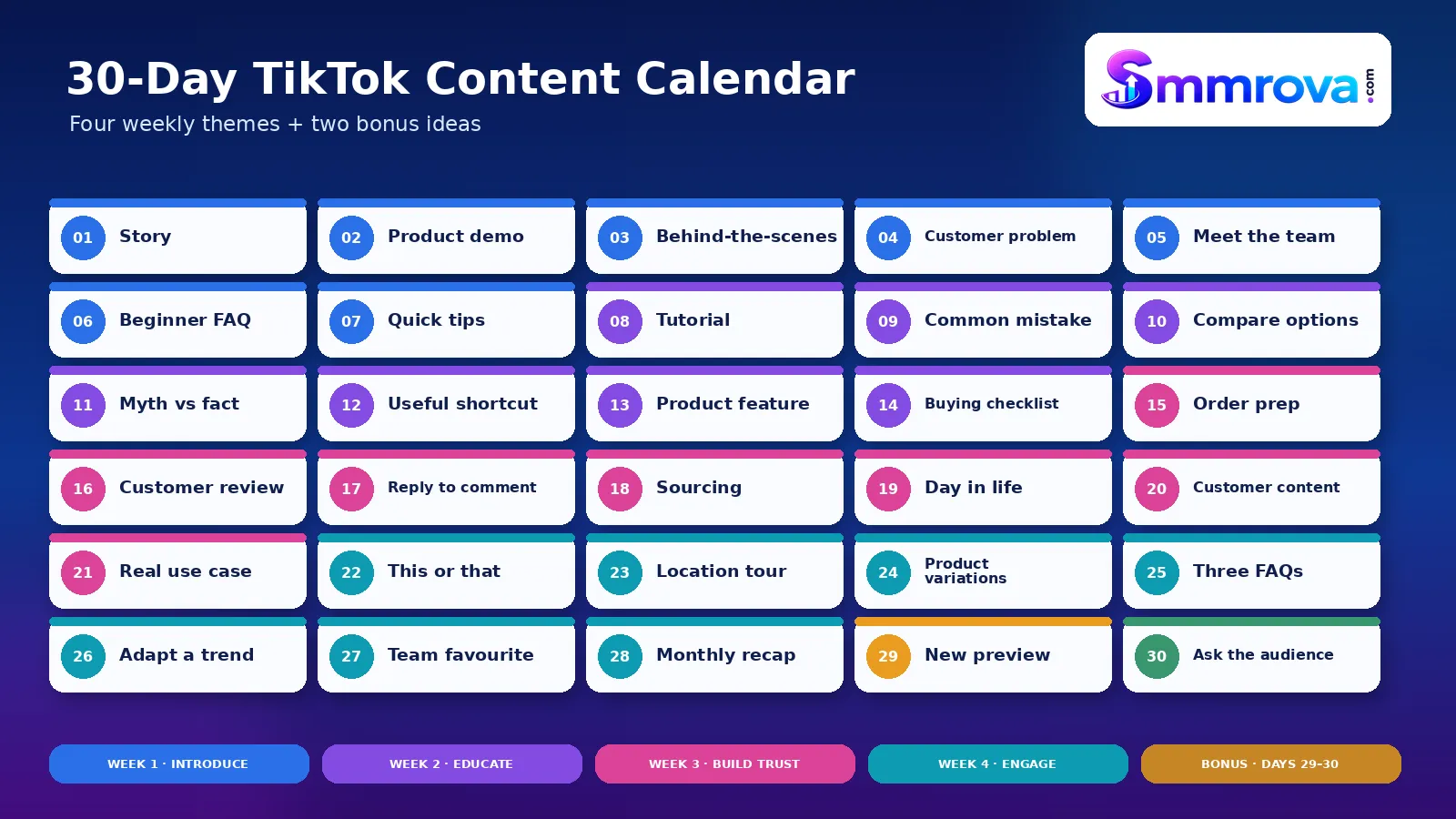
Bonus: Two More TikTok Video Ideas
Use these additional prompts to complete your 30-day content plan.
Day 29: Preview Something New
Video idea: Introduce an upcoming product, new service feature, seasonal collection or planned business update without revealing everything.
Sample hook: "We've been working on something new. Here's a small preview."
CTA: "What do you think it could be?"
Day 30: Ask Your Audience What They Want Next
Video idea: Invite followers to suggest future tutorials, product demonstrations, questions or topics they want your business to cover.
Sample hook: "We're planning our next 30 videos, and we want your ideas."
CTA: "Comment with the topic you'd like to see next."
How to Turn These 30 Ideas into a Practical Posting Schedule
You do not need to record all 30 videos in one day or publish every idea daily. Use the calendar as a content idea library and adapt it to your available time and resources.
1. Select the Ideas That Match Your Business
Review the 30 prompts and choose topics relevant to your products, services and customer questions. Not every idea will fit every business.
2. Prepare Simple Scripts
Write a short outline for each selected video. Include an opening hook, the main information and a suitable CTA.
3. Record Videos in Batches
Group similar videos together. For example, you can film several product demonstrations in one session and record FAQ videos in another session. This can reduce repeated setup work.
4. Organize Your Video Assets
Keep your scripts, recordings, captions and finished videos organized by topic and planned publishing date. A simple spreadsheet or calendar can help.
5. Maintain a Realistic Publishing Frequency
Choose a publishing schedule your business can maintain. You do not have to post every day. TikTok's own small-business creative guidance recommends creating a content schedule and sticking to it rather than treating daily posting as a requirement.
6. Review and Improve Your Next Calendar
Check the available analytics, comments and audience feedback. Identify the topics people found useful and use those insights to improve your next batch of videos.
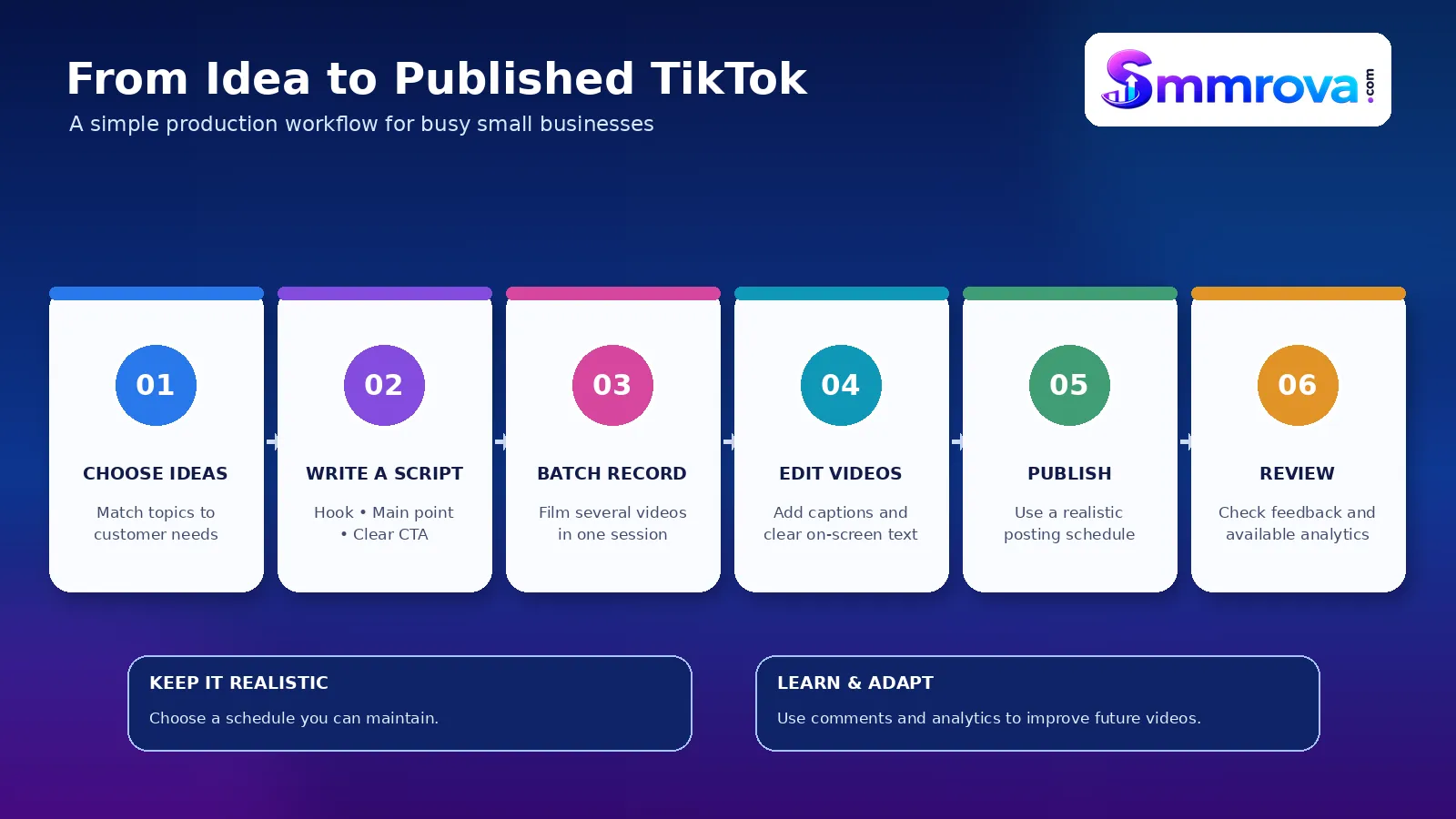
Simple Example: A Weekly TikTok Production Workflow
Here is one way a small business with limited time can organize its content production.
| Activity | Suggested Task |
|---|---|
| Planning | Select topics and prepare short scripts. |
| Recording | Film multiple videos in one session. |
| Editing | Add captions, relevant text and suitable audio. |
| Publishing | Publish according to your chosen schedule. |
| Review | Check audience feedback and available analytics. |
This is a flexible example, not a platform-prescribed posting schedule. Adjust the tasks based on your team size, available equipment and business workload.
Tips for Making Your TikTok Content Calendar More Effective
- Keep your audience in mind: Plan videos around real questions and interests rather than only promoting your products.
- Use simple storytelling: Give each video a clear beginning, useful information and a natural ending.
- Use trends selectively: A trend should fit your topic and brand identity. Popularity alone is not a reason to use it.
- Make product information accurate: Show actual features, pricing and availability. Avoid misleading claims.
- Encourage genuine interaction: Ask meaningful questions and respond to relevant comments.
- Use original material: Get permission before using customer videos, testimonials or other people's content.
- Keep testing ideas: A format that works for one business may not suit another. Learn from your own audience feedback.
Frequently Asked Questions
What is a TikTok content calendar for small business?
It is a plan that organizes video topics, publishing dates, content formats and CTAs for a small business. It helps businesses prepare relevant content in advance instead of relying on random ideas.
How many TikTok videos should a small business post per week?
There is no universal posting frequency that suits every business. Choose a realistic schedule based on your available time and ability to create useful content consistently.
What type of TikTok content works for small businesses?
Product demonstrations, educational tips, tutorials, behind-the-scenes videos, customer questions and authentic storytelling are useful formats to test. The best mix depends on your products, audience and business goals.
Can I use the same TikTok content ideas every month?
You can reuse successful content themes, but try different questions, examples, products and storytelling approaches. Avoid publishing the exact same videos repeatedly without adding new value.
Should every TikTok video include a call to action?
A relevant CTA can give viewers a clear next step, such as saving a useful tip, asking a question, visiting your profile or exploring a product. Choose an action that matches the purpose of the video.
Do I need expensive equipment to create TikTok videos?
No. You can begin with a smartphone, suitable lighting and clear audio. Focus on useful information and understandable presentation before investing in expensive equipment.
Final Thoughts
A well-organized TikTok content calendar can make social media planning easier for small businesses. With 30 video prompts, four weekly themes and two bonus ideas, you have a starting point for creating a varied content plan.
Focus on introducing your business, educating your audience, building trust and encouraging meaningful conversations. Adapt every idea to your actual products, services and customers rather than following a calendar without considering relevance.
Start with the ideas that are easiest to create, maintain a realistic publishing schedule and review your content regularly. Over time, your own audience feedback can help you build a more useful and sustainable TikTok content strategy.
For a broader overview of TikTok marketing, read our TikTok Marketing in Bangladesh guide on Smmrova.
Content planning suggestions in this article are general guidance. TikTok features, trends and content performance can change, so review current platform resources when planning future campaigns.
 Up nextTikTok SEO for Small Business: Get Videos Discovered in SearchTikTok · 11 min read
Popular TikTok services
Ready to grow your social media?
Create a free SmmRova account and pay with bKash, Nagad or Rocket. We never ask for your password.
Create Free Account View ServicesQuestions before you order? Message us on WhatsApp