In this article
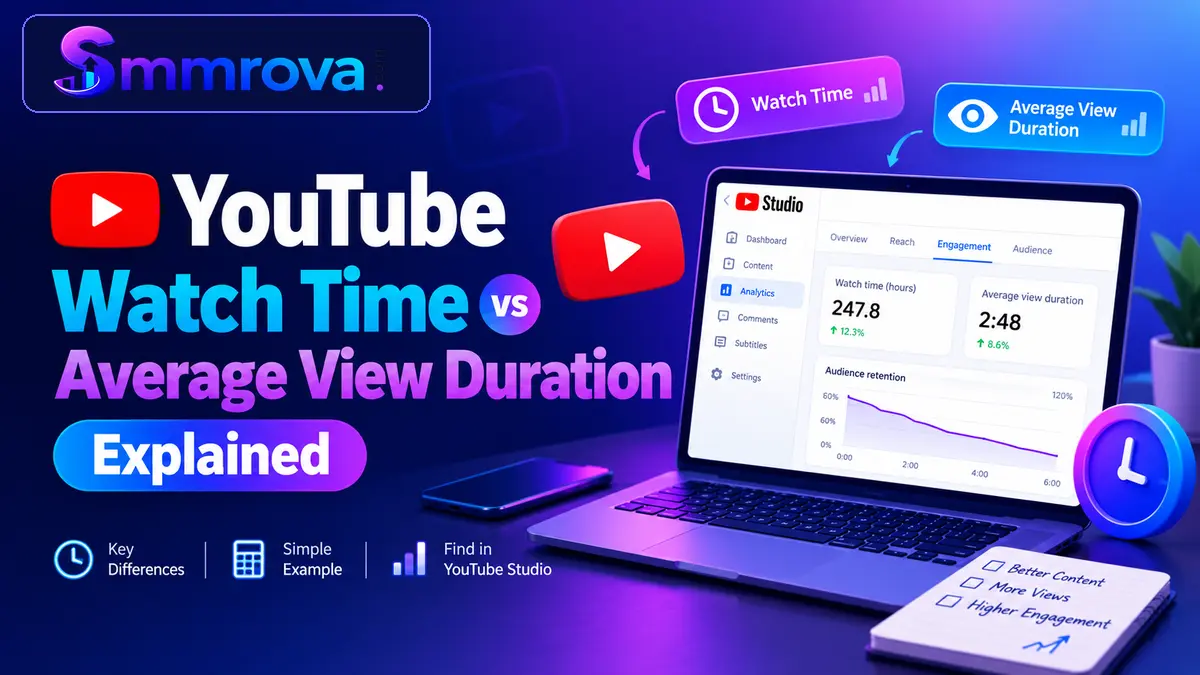
When you check your YouTube Analytics, two important metrics often appear together: Watch Time and Average View Duration. Both describe how people watch your videos, but they measure different aspects of viewing activity.
Watch Time tells you how much time viewers have spent watching your content in total. Average View Duration tells you how long viewers watch on average per view. Understanding the difference can help you identify whether your videos need more viewers, better retention, or improvements in both areas.
In this guide, we will explain YouTube Watch Time vs Average View Duration, show a simple calculation with real numbers, and explain where to find both metrics in YouTube Studio.
What Is YouTube Watch Time?
YouTube Watch Time is the total amount of time viewers spend watching your videos during a selected reporting period.
It is generally displayed in minutes or hours in YouTube Analytics. Unlike a view count, which measures viewing activity, Watch Time measures the accumulated duration of that activity.
For example, imagine that several people watch your video:
- Viewer 1 watches for 4 minutes.
- Viewer 2 watches for 3 minutes.
- Viewer 3 watches for 2 minutes.
- Viewer 4 watches for 1 minute.
The total Watch Time from these four viewing sessions is 10 minutes.
If more people watch the video, or existing viewers spend more time watching it, the total Watch Time can increase.
Why Is Watch Time Important?
Watch Time helps creators understand the total viewing activity their content receives.
It can help you:
- Understand the total time people spend watching your videos.
- Compare the accumulated viewing activity of different videos.
- Evaluate content performance over a selected date range.
- Identify whether your channel is generating more or less viewing activity over time.
Watch Time is also relevant to YouTube monetization discussions, but the total displayed in Analytics should not automatically be treated as eligible public watch hours for the YouTube Partner Program. YouTube applies its own qualification rules.
What Is Average View Duration on YouTube?
Average View Duration (AVD) is the average amount of time viewers spend watching a video per view or playback within the selected reporting context.
For example, suppose a six-minute video receives viewing sessions that total 300 minutes of watch time across 100 views.
The simplified average is:
Average View Duration = Total Watch Time ÷ Views
300 minutes ÷ 100 views = 3 minutes
This means the average viewing session lasted approximately three minutes.
Average View Duration does not tell you how much total time your channel received. Instead, it helps you understand how long viewers typically stayed with a video.
Why Is Average View Duration Important?
Average View Duration can help you understand how well your video holds viewers' attention.
For example, if people frequently leave a video shortly after it begins, the average viewing duration may be lower than expected.
Creators can use this information to review:
- Whether the video introduction is engaging.
- Whether the content delivers what the title promises.
- Whether the video contains unnecessary sections.
- Whether the video length suits its topic.
- Whether viewers continue watching after important moments.
YouTube also provides audience retention reports to help creators understand where viewers start or stop watching.
YouTube Watch Time vs Average View Duration: Key Differences
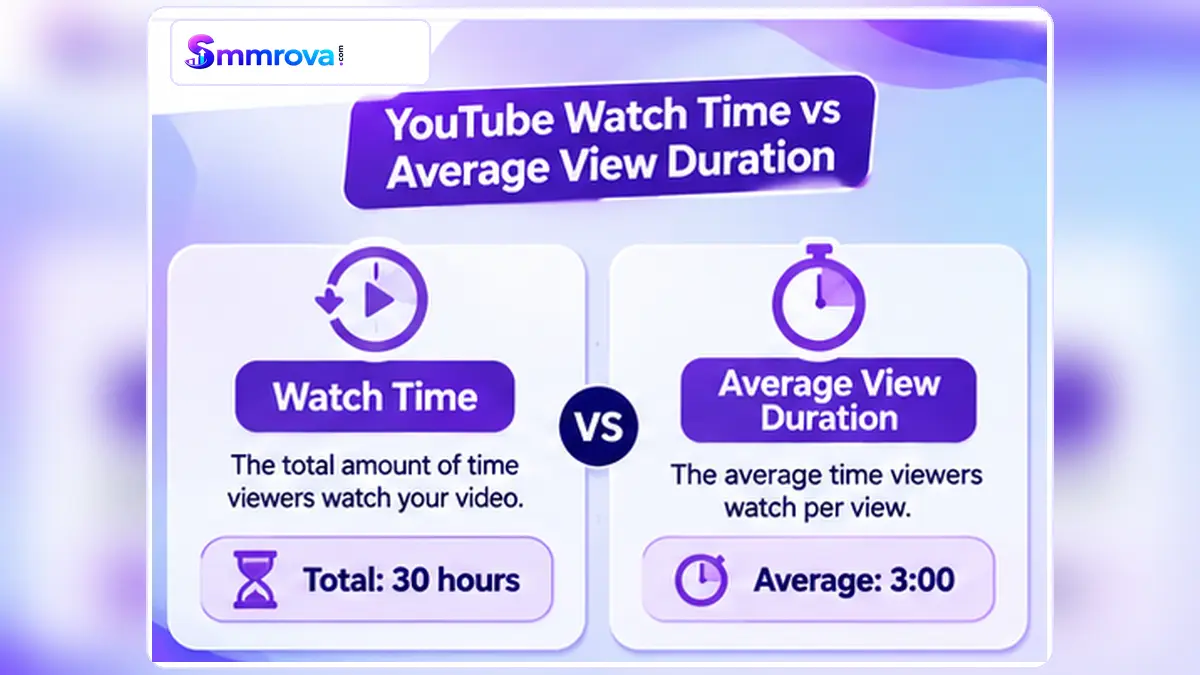
The main difference is simple: Watch Time measures total viewing duration, while Average View Duration measures the average viewing time per view in the selected reporting context.
| Comparison | Watch Time | Average View Duration |
|---|---|---|
| Meaning | Total time viewers watched your content. | Average time viewers watched per view. |
| Measurement | Total minutes or hours. | Average minutes or seconds. |
| Main purpose | Understand total viewing activity. | Understand viewing duration per view. |
| Can increase with more views? | Yes, when those views add viewing time. | Not automatically. |
| Useful for | Overall viewing activity and trends. | Reviewing video viewing depth. |
Both metrics work together. A video can generate substantial Watch Time because many people watch it, even when its Average View Duration is relatively short.
Likewise, a video with fewer views can have a higher Average View Duration if the people who watch it spend more time with the content.
How to Calculate YouTube Watch Time and Average View Duration
A simple numerical example makes the difference easier to understand.
Example: A Six-Minute YouTube Video
Suppose your video has the following performance:
- Video length: 6 minutes.
- Total views: 600.
- Total Watch Time: 30 hours.
First, convert the total Watch Time into minutes:
30 hours × 60 = 1,800 minutes
Now calculate the simplified Average View Duration:
1,800 minutes ÷ 600 views = 3 minutes
Your video's average viewing duration is therefore approximately three minutes per view.
Understanding Average Percentage Viewed
Another useful metric is Average Percentage Viewed (APV). It shows the average proportion of a video that viewers watched.
A simplified calculation is:
Average Percentage Viewed = (Average View Duration ÷ Video Length) × 100
Using our example:
(3 minutes ÷ 6 minutes) × 100 = 50%
This means the average viewing duration was equivalent to half of the video's total length.
Remember that these examples are simplified illustrations for standard video reporting. YouTube's current reporting definitions can use engaged views and corresponding watch time for certain formats, particularly Shorts. Always use the definitions shown for the specific report you are analysing.
How to Find Watch Time and Average View Duration in YouTube Studio
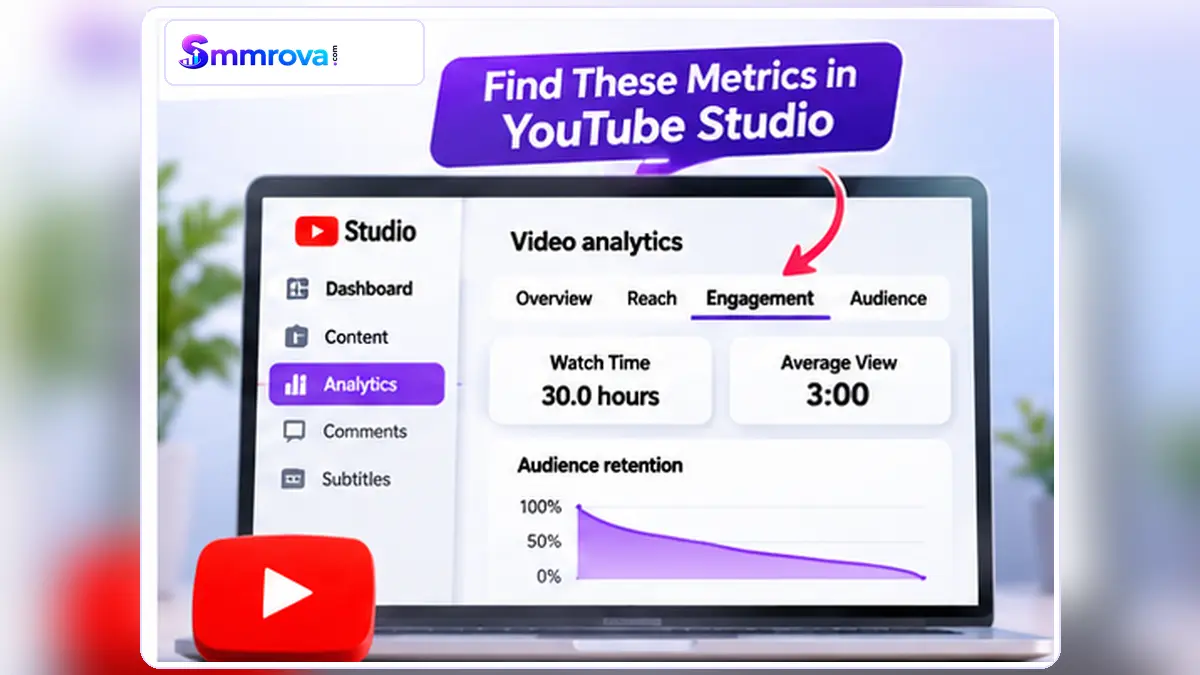
You can find these metrics in YouTube Studio Analytics. The video-level Engagement report provides a useful place to review both numbers.
Step 1: Open YouTube Studio
Visit YouTube Studio and sign in with the Google account connected to your channel.
Step 2: Open Your Content
From the left-hand menu, select Content. Find the video you want to analyse.
Step 3: Open Video Analytics
Select the video's Analytics option to open its performance reports.
Step 4: Select the Engagement Tab
Open the Engagement tab. Depending on the available report, you can review metrics such as:
- Watch Time (hours).
- Average View Duration.
- Engaged Views, where available.
- Audience Retention and key moments.
You can also change the reporting date range to compare performance across different periods.
YouTube has been gradually rolling out an updated Studio experience since July 2026, so the exact menu layout may look different between accounts. Some reports may also have limited availability on mobile devices.
For the official instructions, see YouTube's guide to understanding engagement metrics and its YouTube Analytics overview.
How to Understand Your Watch Time and Average View Duration Results
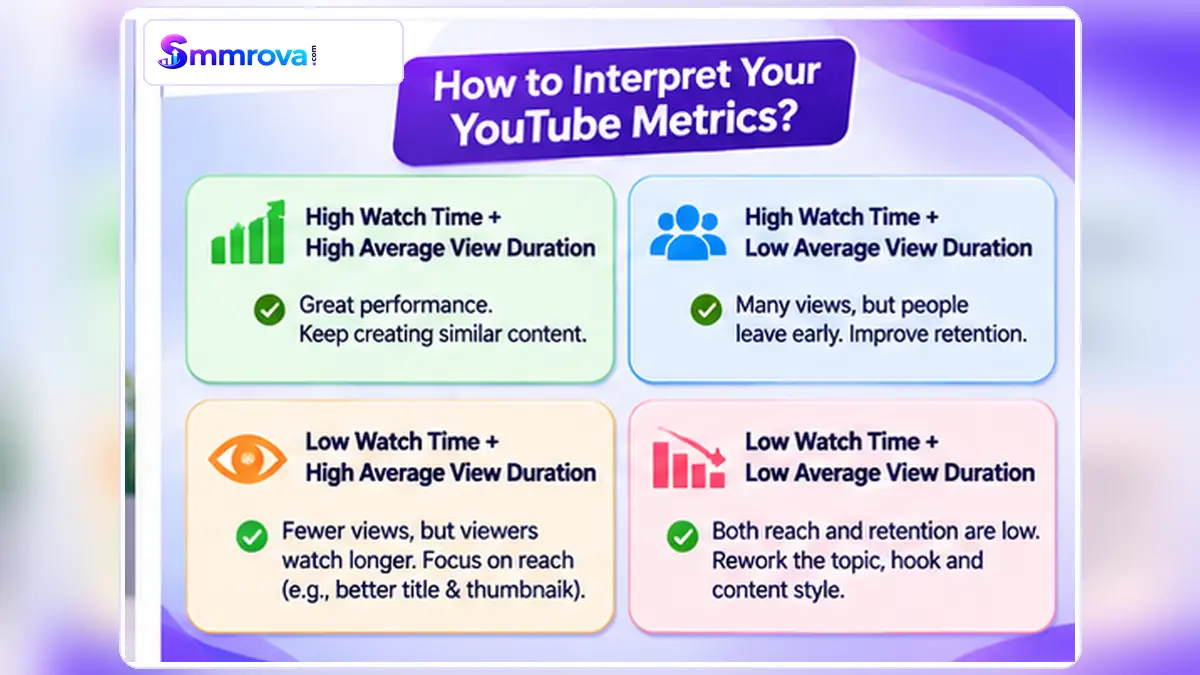
Looking at both metrics together can help you identify different content-performance patterns.
1. High Watch Time but Low Average View Duration
This can happen when a video receives many views but viewers watch only a relatively short portion of it.
For example, a video may receive a large number of views from a broad audience, generating substantial total viewing time even though its average viewing duration is limited.
What to investigate:
- Does the opening match the video title and thumbnail?
- Do viewers leave during the introduction?
- Is the content taking too long to deliver its main point?
- Are the viewers interested in the actual topic?
2. Low Watch Time but High Average View Duration
This may happen when fewer people watch a video, but those who do watch spend a relatively long time viewing it.
In this situation, the content may be holding the attention of its existing viewers, while its total viewing activity remains limited.
Consider reviewing the title, thumbnail, topic selection, and how your intended audience discovers the video.
3. High Watch Time and High Average View Duration
This combination can indicate that a video is receiving meaningful viewing activity and that viewers are spending a relatively long time watching it.
Review the audience retention report to understand which sections are keeping viewers interested and use those findings when planning future videos.
4. Both Metrics Are Declining
If both metrics decline across several comparable videos, it may be useful to investigate changes in audience interest, content format, video presentation, or traffic sources.
Do not make a decision based on one video's results alone. Compare videos of similar lengths and formats over consistent reporting periods.
Does Higher Watch Time Automatically Guarantee YouTube Monetization?
No. A higher Watch Time figure in YouTube Analytics does not automatically mean a channel qualifies for the YouTube Partner Program.
YouTube applies specific eligibility requirements and qualifying-view rules. Its current documentation explains that YPP eligibility is based on qualified views, while monetization earnings use engaged views and engaged watch hours.
You should therefore review the Earn section in YouTube Studio and follow the current requirements published by YouTube.
Read the official explanation of how YouTube engagement metrics are counted before making monetization decisions.
If you are comparing third-party promotional services, remember that artificial traffic may be discarded and does not guarantee qualified watch hours. Smmrova's YouTube Watch Time service information also explains that YouTube determines which watch hours qualify. Using any service does not guarantee YPP eligibility.
Frequently Asked Questions
Is Watch Time the same as Average View Duration?
No. Watch Time is the total time viewers spend watching a video, while Average View Duration measures the average viewing time per view in the selected reporting context.
How do I calculate Average View Duration?
For a simplified standard video example, divide total Watch Time by the corresponding number of views. Make sure you use figures from the same reporting period and filters. Some format-specific reports use engaged views in their calculation.
Can a video have high Watch Time but low Average View Duration?
Yes. A video can receive many views and accumulate substantial total viewing time even when viewers spend a relatively short time watching each view.
Which metric should YouTube creators focus on?
Both are useful. Watch Time helps measure total viewing activity, while Average View Duration helps you understand how long viewers stay. Use both along with audience retention, views, and other relevant metrics.
Where can I see Average View Duration?
Open YouTube Studio, go to Content, select a video, open Analytics, and review the Engagement tab. Available reports can vary by content format and interface.
Does Average View Duration affect YouTube recommendations?
Viewer satisfaction and how people interact with videos are part of YouTube's recommendation systems. However, Average View Duration alone does not guarantee recommendations or higher rankings. Review multiple performance indicators and your audience retention data.
Final Thoughts
Understanding YouTube Watch Time vs Average View Duration helps creators make better decisions about their video content.
Watch Time shows how much total time viewers spend watching your videos, while Average View Duration explains how long they typically stay per view. One measures total viewing activity; the other gives you an indication of viewing depth.
Review both metrics regularly, compare similar videos, and use audience retention reports to identify where viewers lose interest.
For more information about social media marketing platforms and services, you can also read our What Is an SMM Panel? Complete Beginner Guide.
Remember: sustainable YouTube growth starts with useful content, a relevant audience, and a clear understanding of your analytics.
 Up nextYouTube Valid Public Watch Hours: What Counts?YouTube · 11 min read
Popular YouTube services
Ready to grow your social media?
Create a free SmmRova account and pay with bKash, Nagad or Rocket. We never ask for your password.
Create Free Account View ServicesQuestions before you order? Message us on WhatsApp