In this article
Running a business Facebook Page can become difficult when you run out of ideas for what to publish. You may already have products to sell, services to explain, and customers to help, but deciding what to post every week is another task.
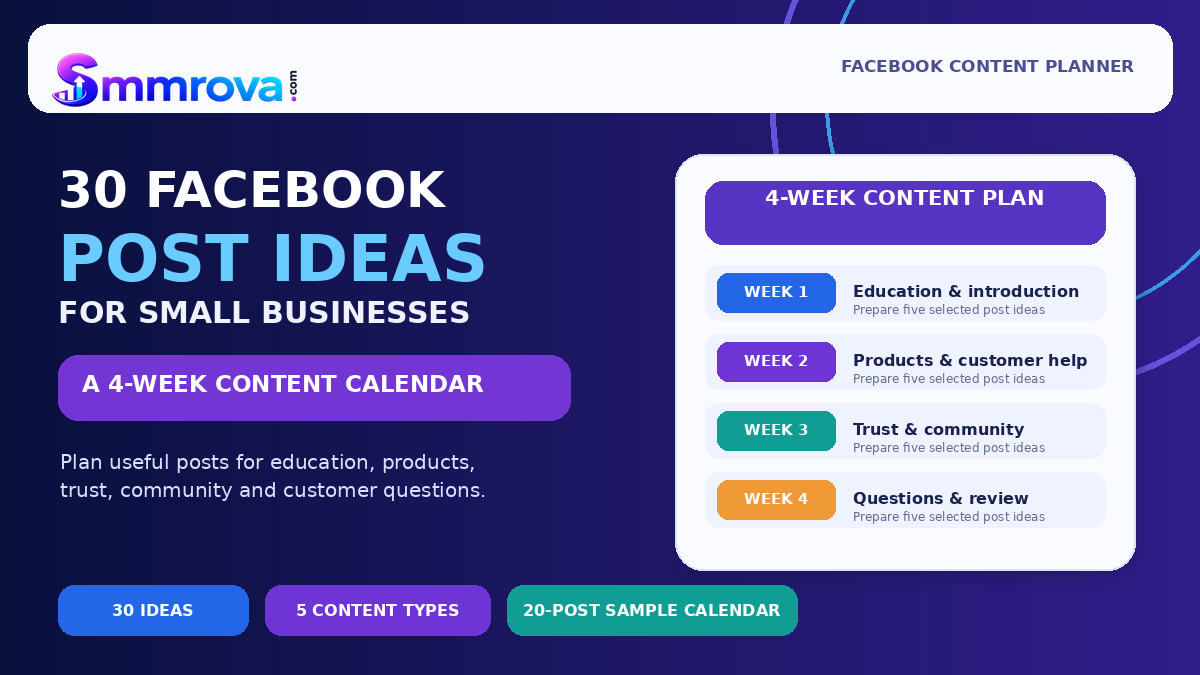
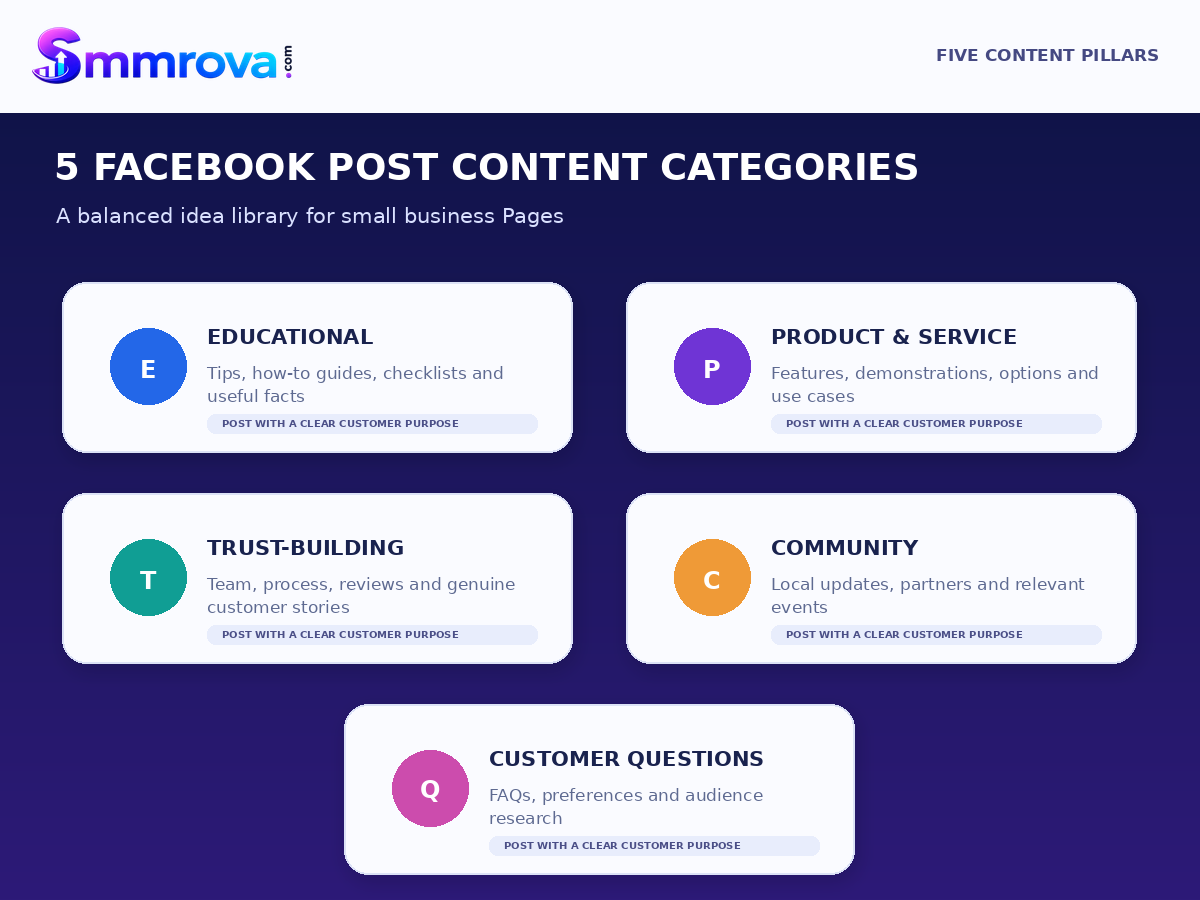
These Facebook post ideas for business are designed to make content planning easier. The list covers five useful categories: educational posts, product and service posts, trust-building content, community posts, and customer questions. You will also find a practical four-week content calendar that helps you organise ideas without making every post a sales promotion.
You do not need to publish all 30 ideas immediately. Choose the topics that match your audience, available resources, and business goals. A smaller number of useful, well-prepared posts can be easier to manage than a calendar filled with content your team cannot maintain.
Why Your Business Facebook Page Needs Different Types of Posts
If every post says “Buy now” or “Contact us,” visitors may not learn enough about your business to make an informed decision. People may want to understand your products, compare options, see how a service works, or know whether your business is reliable.
A balanced content plan gives your Page different ways to communicate:
- Educational posts answer questions and share useful information.
- Product and service posts explain what you offer and how customers can use it.
- Trust-building posts show the people, process, and real experiences behind the business.
- Community posts connect your business with relevant local interests and people.
- Customer-question posts help you learn what potential buyers want to know.
These categories are planning tools, not a formula that guarantees reach or engagement. Select a post because it is relevant to your customers, not because you expect a particular algorithmic reward.
30 Facebook Post Ideas for Small Businesses
Category 1: Educational Post Ideas
Educational content helps customers understand a topic, solve a small problem, or make a more informed choice. It is useful for businesses that want to demonstrate practical knowledge without turning every post into an advertisement.
- Share a quick how-to guide. Explain one task your customers often struggle with. Use a short step-by-step caption or a simple carousel. CTA: “Save this guide for later.”
- Publish a myth-versus-fact post. Identify a common misunderstanding about your product, industry, or service and explain the accurate information. CTA: “What would you like us to explain next?”
- Create a customer checklist. List what someone should check before buying a product, booking a service, or choosing a provider. CTA: “Keep this checklist handy before making your decision.”
- Explain a common mistake and its solution. Show a mistake customers frequently make and give a practical way to avoid it. CTA: “Have you come across this problem?”
- Compare two useful options. Explain the difference between two products, materials, plans, or service choices. Keep the comparison balanced and accurate. CTA: “Which option fits your needs better?”
- Share a seasonal or local tip. Give advice connected to a relevant season, local event, or customer need. A clothing shop, for example, might explain how to choose suitable fabrics for warm weather. CTA: “Would you like more seasonal tips?”
Category 2: Product and Service Post Ideas
These posts introduce what your business offers. Instead of only displaying a product and its price, explain its features, practical uses, differences, or ordering process.
- Highlight one product feature. Focus on one useful detail rather than listing every feature in a single post. Explain why that detail matters to the customer. CTA: “Send us a message for product details.”
- Show a product or service demonstration. Use original photos or a short video to demonstrate how it works or how a service is delivered. CTA: “Contact us if you need help choosing.”
- Show a real-world use case. Explain how a typical customer might use your product or service in a particular situation. Avoid presenting an exceptional outcome as a guarantee. CTA: “Would this be useful for your situation?”
- Announce a genuine new arrival or availability update. Share accurate information about new stock, a new menu item, a newly available service, or a booking opening. CTA: “Message us to check current availability.”
- Compare your available options. Create a simple comparison of packages, sizes, colours, features, or service levels. Explain who each option may suit. CTA: “Tell us what you need and we can explain the options.”
- Explain the ordering or booking process. Show customers how to enquire, place an order, make an appointment, or receive a delivery. CTA: “Follow these steps or contact our team if you have a question.”
Category 3: Trust-Building Post Ideas
People often want to know who operates a business and what they can expect after contacting it. Trust-building posts provide genuine information about your team, process, customer experiences, and business practices.
- Introduce the business owner or team. Share who is behind the business, what the team does, and what customers can contact you about. CTA: “Meet our team and feel free to ask us a question.”
- Show behind-the-scenes work. Share original photos of order preparation, packaging, workspace organisation, or service preparation. Avoid revealing private customer information. CTA: “Would you like to see more of our process?”
- Explain your quality-check process. Show the genuine checks your team performs before dispatching a product or completing a service. Do not claim checks you do not actually perform. CTA: “Contact us if you want to know more about our process.”
- Feature a genuine customer review. With the customer's permission, publish their feedback and provide enough context to understand what they reviewed. CTA: “Have a question about this experience? Send us a message.”
- Share a small customer case story. Describe a real customer need, the work your business completed, and the outcome that can be supported by evidence and shared with permission. CTA: “Tell us what you are trying to achieve.”
- Publish a transparent business-process post. Explain relevant policies, service limitations, delivery conditions, booking requirements, or what customers should prepare before ordering. CTA: “Read the details or contact us before placing an order.”
Category 4: Community Post Ideas
Community-focused posts connect your business with relevant local interests, customers, and organisations. They work best when the subject genuinely relates to the people your business serves.
- Create a local area guide. Share a useful list of nearby facilities, shopping tips, local resources, or places connected to your industry. Check the details before publishing. CTA: “Which local resource should we include next time?”
- Introduce a local business collaboration. Highlight a relevant supplier, neighbouring shop, or business partner with their permission. Explain why the collaboration is useful. CTA: “Explore the partner's page to learn more.”
- Share a genuine community event update. If your business participates in a local event, explain what is happening, where it takes place, and how people can participate. CTA: “Check the event details before attending.”
- Prepare a relevant seasonal greeting or message. Recognise a meaningful local celebration or seasonal moment with a thoughtful message connected to your audience. CTA: “Wishing everyone in our community a wonderful occasion.”
- Share a team favourite or recommendation. Ask a team member to explain a product, tool, menu item, or service detail they genuinely recommend and why. CTA: “Would you like to know more about this option?”
- Feature customer-created content with permission. Share a customer's photo or story when it is relevant and the customer has approved its use. Give proper credit. CTA: “Contact us if you would like your experience considered for a future feature.”
Category 5: Customer-Question Post Ideas
Questions can help a business understand what customers need. Ask specific questions that lead to useful conversations instead of using unrelated prompts only to collect comments.
- Ask about a common customer problem. Invite people to describe a challenge related to your industry. Use the responses to identify future educational topics. CTA: “What is the most difficult part of this process for you?”
- Ask which product option people prefer. Present two or three real options and ask customers what matters most when choosing between them. CTA: “Which feature is most important to you?”
- Let customers choose a future guide topic. Offer two or three useful subjects your business can explain in a future post. CTA: “Which topic should we cover first?”
- Ask what information customers need before booking. Invite questions about service areas, pricing factors, preparation, availability, or the booking process. CTA: “What would you like to know before booking?”
- Ask how customers currently use a product or service. Invite relevant examples or experiences. Do not pressure anyone to share private details. CTA: “How do you usually use this in your daily routine?”
- Collect frequently asked questions. Invite customers to submit questions that your team can answer in future posts. CTA: “Leave a question about our products or services, and we may cover it in an upcoming guide.”
4-Week Facebook Content Calendar
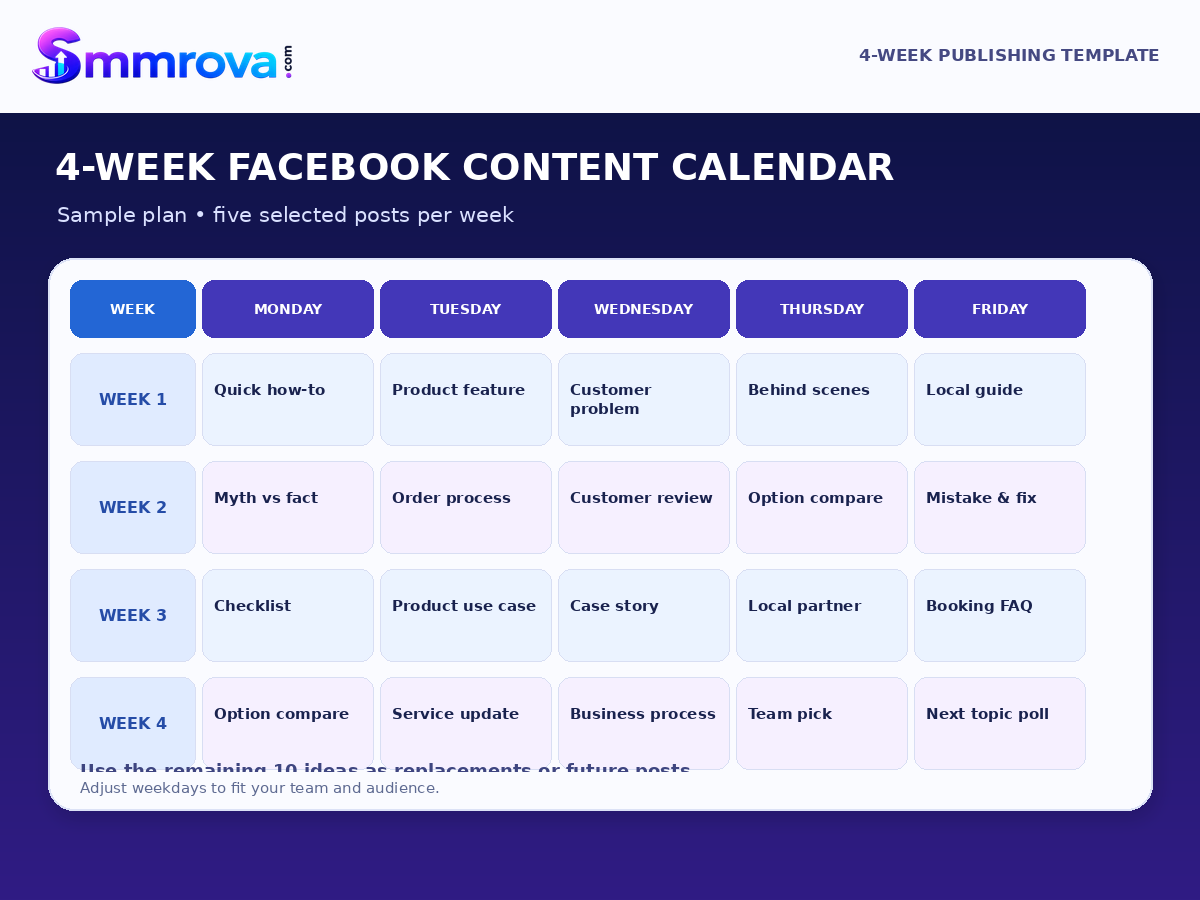
The following sample calendar uses five main publishing slots per week. It selects 20 ideas from the 30-post library, leaving the other 10 as optional replacements or future topics. This gives a small business a useful starting plan without requiring daily posting.
You can move the days to fit your team's workload, customer activity, business hours, and available content. The calendar is an organisational template, not a claim that one posting frequency works for every Page.
| Week | Suggested day | Post idea | Content purpose |
|---|---|---|---|
| Week 1 | Monday | #1 Quick how-to guide | Education |
| Week 1 | Tuesday | #7 Product feature spotlight | Product information |
| Week 1 | Wednesday | #25 Ask about a customer problem | Customer research |
| Week 1 | Thursday | #14 Behind-the-scenes post | Trust |
| Week 1 | Friday | #19 Local area guide | Community value |
| Week 2 | Monday | #2 Myth-versus-fact post | Education |
| Week 2 | Tuesday | #12 Ordering or booking guide | Customer information |
| Week 2 | Wednesday | #16 Customer review | Trust |
| Week 2 | Thursday | #26 Product preference question | Customer research |
| Week 2 | Friday | #4 Common mistake and solution | Education |
| Week 3 | Monday | #3 Customer checklist | Education |
| Week 3 | Tuesday | #9 Real-world product use case | Product information |
| Week 3 | Wednesday | #17 Customer case story | Trust |
| Week 3 | Thursday | #20 Local business collaboration | Community |
| Week 3 | Friday | #28 Pre-booking questions | Customer research |
| Week 4 | Monday | #5 Option comparison | Education |
| Week 4 | Tuesday | #11 Compare available options | Product information |
| Week 4 | Wednesday | #18 Transparent process post | Trust |
| Week 4 | Thursday | #23 Team recommendation | Community |
| Week 4 | Friday | #27 Choose a future guide topic | Customer research |
10 additional ideas to keep in reserve: #6 seasonal tip, #8 product demonstration, #10 new arrival update, #13 team introduction, #15 quality-check process, #21 community event, #22 seasonal greeting, #24 customer-created content, #29 customer-use question, and #30 FAQ collection. Swap these into the calendar whenever they are more relevant to your business.
How to Turn a Post Idea Into a Publish-Ready Post
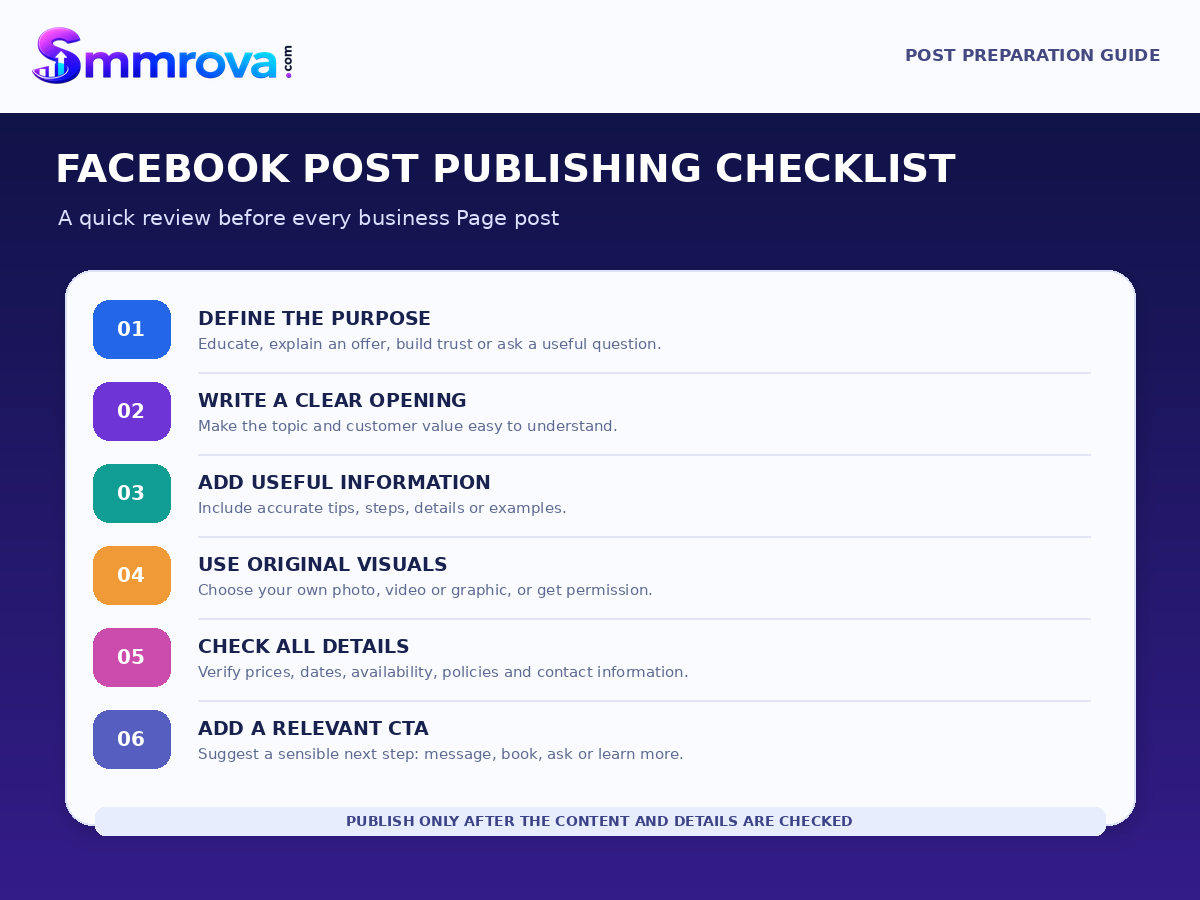
A useful idea still needs a clear message and a suitable format. Before publishing, prepare these basic elements:
- Choose one purpose: Decide whether the post should educate, explain an offer, build trust, connect with the community, or answer a customer question.
- Write a clear opening: Start with the topic or customer problem. Avoid vague introductions.
- Prepare the main information: Use a short explanation, useful steps, original photo, demonstration, or comparison.
- Add one relevant call to action: Invite the reader to take a sensible next step, such as reading, asking, comparing, booking, or contacting you.
- Check the details: Confirm spelling, prices, dates, availability, contact information, permissions, and any claims shown in the post.
Simple caption structure
Opening: Introduce the customer question or topic.
Main message: Explain the useful information in a few short sentences.
Supporting detail: Add a relevant photo, example, demonstration, or list.
Call to action: Tell the reader what they can do next.
For example, a furniture shop could write:
“Choosing a dining table for a small room? Start by measuring the available floor space and leaving enough room to move around the chairs. Compare the table dimensions before placing an order. Need help checking a size? Send us the room measurements and we can explain the available options.”
This caption explains a customer problem, gives useful advice, and offers a relevant next step without relying on exaggerated claims.
Design Tips for Facebook Business Posts
- Use original photos of your products, team, location, or genuine work process.
- Keep text on graphics short enough to read on a phone.
- Use consistent colours, typography, and logo placement so people can recognise your brand.
- Choose the media format that suits the message: a photo for a product detail, a carousel for steps, or a video for a demonstration.
- Use customer images, reviews, and testimonials only with appropriate permission.
- Check that every price, promotion, date, and service statement is accurate before publishing.
Meta's original content guidance explains its approach to original material and why duplicative content or minor edits to another creator's work may be deprioritised. For a business Page, creating your own useful photos, demonstrations, explanations, and stories is a sound long-term content practice.
How to Review Your Facebook Content Calendar
At the end of each week, review how the published posts performed and what questions customers asked. Use the available Meta Business Suite Insights data for your Page, then compare results against the purpose of each post.
- Views and reach: Did the content get in front of people?
- Interactions: Did people react, comment, or share in a relevant way?
- Messages and enquiries: Did the post lead to useful customer conversations?
- Website visits or bookings: Did people take the next action when that was the post's purpose?
- Questions and feedback: What did customers ask that could become a future post?
Meta Business Suite provides an Insights overview for Facebook Pages and connected Instagram accounts. Depending on the account and permissions, the overview can include views, interactions, follows, and recent content performance. See the Meta Business Suite Insights overview for more information.
Do not judge every category by the same number. An educational post may be useful because it answers a recurring question, while a product post may be more valuable when it generates relevant enquiries. Record what happened and use that information to improve the next calendar.
Common Facebook Content Planning Mistakes
- Posting only promotional offers: Give people useful information and context alongside product or service updates.
- Repeating the same idea: Change the topic, customer problem, example, or format instead of publishing near-identical posts.
- Copying another Page's content: Create original material or obtain permission to use content you do not own.
- Using irrelevant questions for comments: Ask questions that help you understand customers rather than prompts designed only to inflate interactions.
- Ignoring customer replies: Review genuine questions and respond with accurate information.
- Planning more than the team can manage: Reduce the calendar to a sustainable number of posts and prepare content in advance.
- Measuring every post by likes: Match the review metric to the post's purpose.
Frequently Asked Questions
What should a small business post on Facebook?
A small business can publish educational tips, product demonstrations, service explanations, customer FAQs, behind-the-scenes updates, genuine reviews, team introductions, local information, and useful customer questions. Choose ideas that relate to what your audience needs to know.
How many times should a business post on Facebook each week?
There is no single posting frequency that suits every business. Start with a schedule your team can maintain, then review the quality of the content, audience response, and business workload before changing it.
How can I plan a month of Facebook content?
Group ideas into content categories, select topics that match your business goals, assign publishing dates, prepare the captions and visuals, and leave room for relevant updates. Review the results each week and adjust the next plan.
Should every Facebook business post include a call to action?
A relevant next step can help readers understand what to do, but it does not always need to be a direct sales message. A post may invite someone to save a checklist, read a guide, ask a question, compare options, or contact your business.
Can I reuse the same Facebook post every month?
You can revisit an important topic when it remains useful, but avoid repeatedly publishing identical content. Update the information, add a new example, answer a fresh customer question, or create a different format. Use original visuals or material you have permission to share.
Final Thoughts
Planning Facebook content becomes easier when you have a library of ideas and a realistic publishing calendar. These 30 prompts cover education, products and services, trust, community, and customer questions, giving your business different ways to communicate with its audience.
Start with the ideas that are most relevant to your customers. Prepare original content, publish at a pace your team can maintain, respond to genuine questions, and review the results before planning the next month.
If you also want to explore Facebook-related service categories, visit the Smmrova Facebook service section and review the details of each available listing. For a separate explanation of Facebook service categories and ordering considerations, read the Facebook SMM Panel Bangladesh guide. These resources are separate from your organic content plan; useful posts and genuine customer relationships should remain at the centre of your Page strategy.
 Up nextFacebook Video Marketing Strategy for Small BusinessesFacebook · 16 min read
Popular Facebook services
Ready to grow your social media?
Create a free SmmRova account and pay with bKash, Nagad or Rocket. We never ask for your password.
Create Free Account View ServicesQuestions before you order? Message us on WhatsApp