In this article
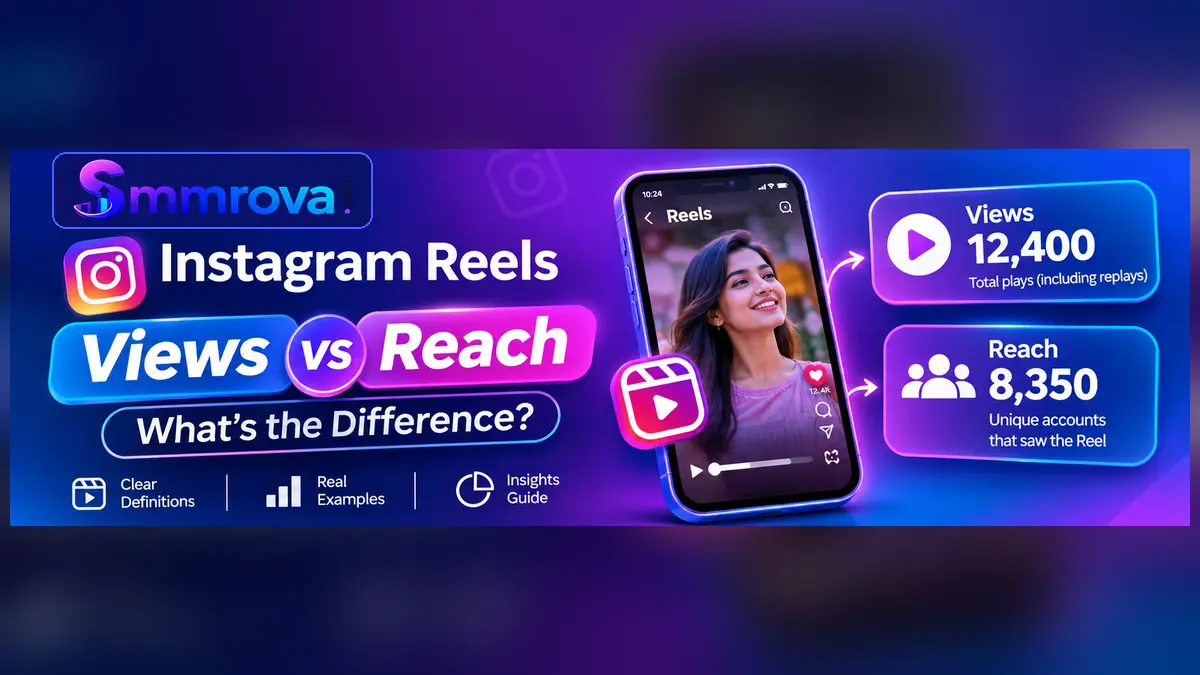
Instagram Reels Views vs Reach is an important comparison for anyone who wants to understand how their short videos perform. Both numbers describe audience activity, but they do not measure the same thing.
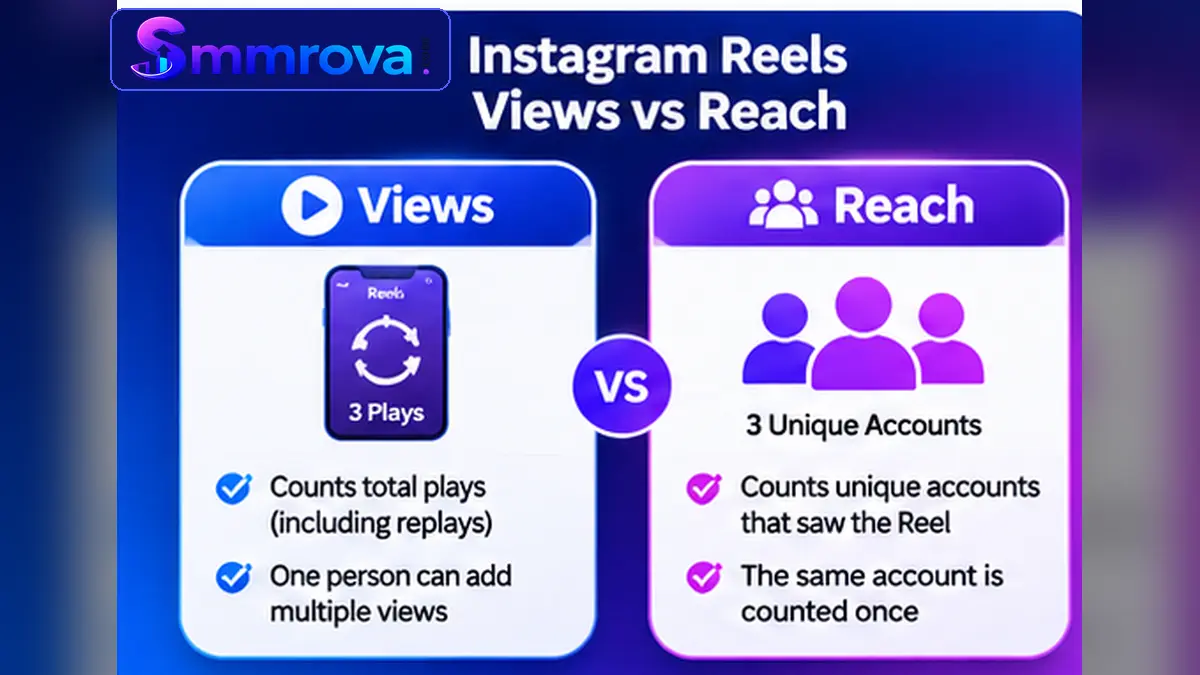
Views show how many times a Reel starts playing or is replayed. Reach describes how many different accounts saw the Reel. One person can contribute multiple views, while that same person is counted only once in a unique audience metric.
Understanding this difference helps creators, freelancers, and businesses evaluate their Reels more accurately. In this guide, you will learn what each metric means, how to compare them with a practical example, and where to find the information in Instagram Insights.
What Are Instagram Reels Views?
Instagram Reels Views measure how many times a Reel starts playing, including when it is replayed. A single person can therefore contribute more than one view to the same Reel.
For example, if someone watches your Reel, watches it again, and then plays it once more, those playbacks can contribute three views.
Views help you understand the amount of playback activity your video receives. However, they do not tell you exactly how many different people watched it or whether everyone watched until the end.
What Can Increase Your Reels Views?
- More people starting to play your Reel.
- Existing viewers replaying the video.
- Your Reel being discovered by people who do not follow your account.
- People returning to watch the same content again.
A higher view count indicates more playback activity, but it does not automatically mean that more unique people discovered your account.
What Is Instagram Reels Reach?
Reach measures the number of unique accounts that have seen your content at least once. For Reels, it helps you understand how many different Instagram accounts encountered your video.
Unlike Views, the same account is not counted repeatedly in a unique reach measurement just because it watches the Reel several times.
Depending on the Instagram interface and report, you may see a related audience metric labelled Viewers or Accounts Reached. Check the information icon inside Insights to understand the exact definition being used in your account.
Why Is Reach Important?
Reach helps you understand the size of the audience exposed to your Reel.
For example, a Reel may receive 5,000 views but reach 3,500 accounts. This suggests that the playback count and the number of unique accounts are different.
Reach can also help you review:
- How many different accounts encountered your Reel.
- Whether your content is reaching followers and non-followers.
- How audience exposure changes between Reels.
- Whether a particular topic reaches a wider group of people.
Remember that reach is an audience metric, not proof that viewers watched the entire video or became interested in your business.
Instagram Reels Views vs Reach: Key Differences
The main difference is that Views measure playback activity, while Reach measures the number of unique accounts exposed to your content.
| Comparison | Reels Views | Reach / Viewers |
|---|---|---|
| What it measures | Number of times the Reel starts playing or replays. | Number of unique accounts that saw the Reel. |
| Repeat activity | Repeated plays can increase the count. | The same account is counted once. |
| Main purpose | Understand playback activity. | Understand audience exposure. |
| Useful for | Reviewing how often a Reel is played. | Reviewing how many different accounts encountered it. |
| What it does not prove | It does not prove full video completion. | It does not prove that every account played the Reel. |
These metrics complement each other. Looking at only one can leave out important information about how your Reel was discovered and watched.
Can Instagram Reels Views Be Higher Than Reach?
Yes. Views can be higher than Reach when people replay a Reel or watch it multiple times.
Consider this simple example:
| Metric | Example Result |
|---|---|
| Reels Views | 6,000 |
| Accounts Reached | 4,000 |
| Difference | 2,000 |
In this example, the Reel has 6,000 views and has reached 4,000 unique accounts.
A simple Views-to-Reach ratio is:
Views-to-Reach Ratio = Views ÷ Reach
6,000 ÷ 4,000 = 1.5
This means there were approximately 1.5 views for every reached account on average.
However, this ratio does not mean that exactly 50% of viewers replayed the Reel. Some accounts may have seen the Reel on screen without it starting to play, and the reporting metrics have different definitions.
Can Reach Be Higher Than Views?
It is possible in some reporting situations. A unique-account metric may include accounts that saw a Reel on screen even if playback did not start, while Views count playbacks and replays.
This is why you should not assume that Reach must always be lower than Views. Check the metric definitions and reporting context before interpreting unusual results.
How to Find Instagram Reels Views and Reach in Insights
You can review the available metrics for an individual Reel using Instagram Insights. The exact labels and menu layout may vary depending on your account and Instagram app version.
Step 1: Open Your Instagram Profile
Open Instagram and visit the profile where you published the Reel.
Step 2: Open the Reels Tab
Find the Reel you want to analyse and open it.
Step 3: Select View Insights
Tap View Insights if the option is available for your account and content.
Step 4: Review the Available Metrics
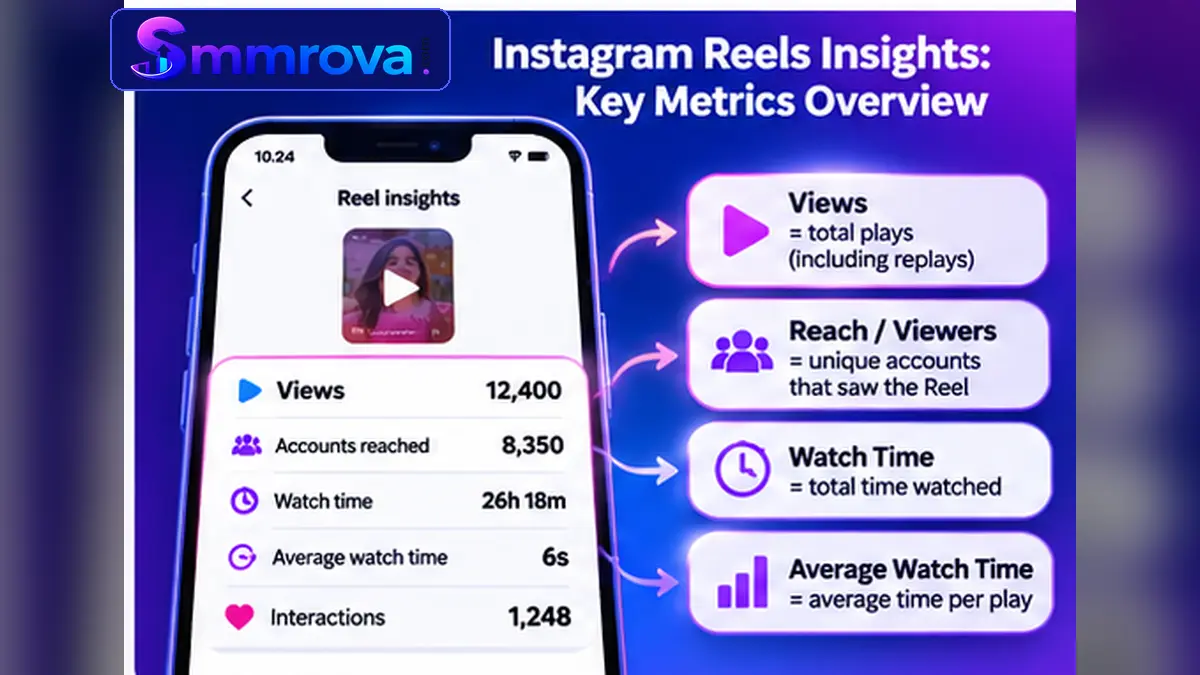
Look for the relevant audience and playback metrics. Depending on the current interface, you may find:
- Views: Total playback activity, including replays.
- Viewers or Accounts Reached: The unique audience metric shown in your Insights interface.
- Watch Time: Total time the Reel was played, including replays.
- Average Watch Time: Average time spent playing the Reel.
- Interactions: Available actions such as likes, comments, saves, and shares.
Use the information icon beside a metric when available. Instagram can change its reporting labels and definitions, so the explanation shown in your own Insights is the best reference for that report.
Meta has also explained how Total Watch Time and Average Watch Time help creators understand Reels performance in its official Reels Insights update.
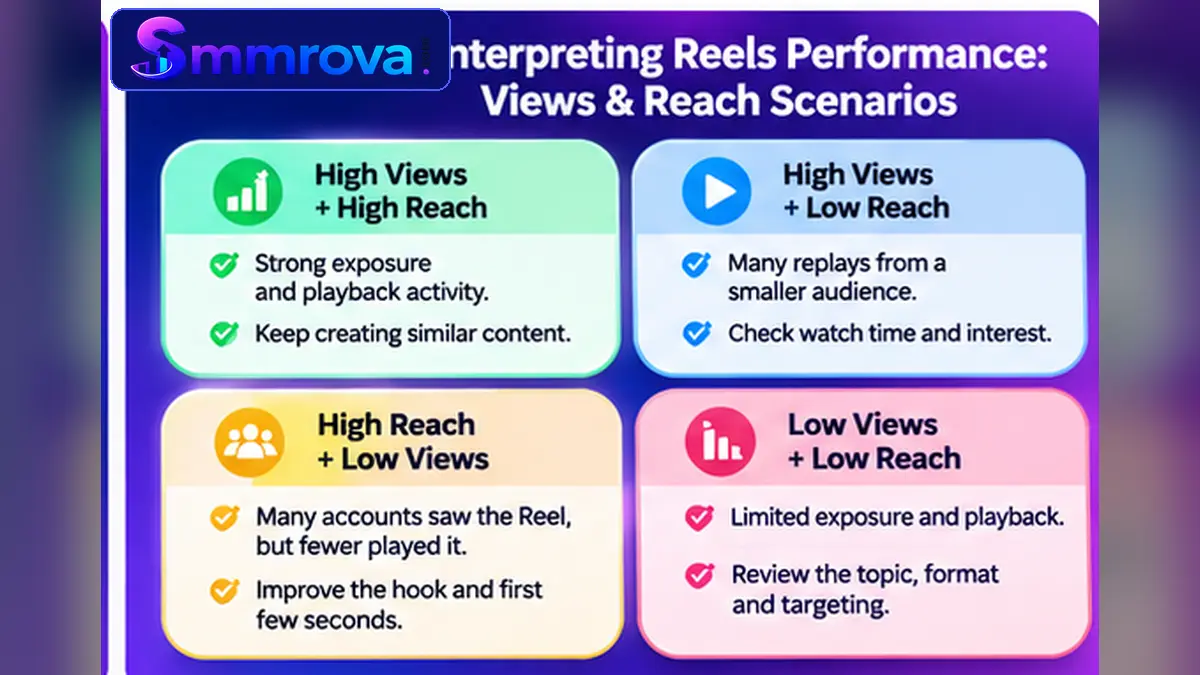
How to Interpret Different Reels Views and Reach Results
Comparing the two metrics can help you understand the type of activity your Reel receives. Use the following examples as diagnostic clues, not fixed performance benchmarks.
1. High Views and High Reach
This means your Reel received substantial playback activity and was seen by many different accounts.
Next, review watch time, shares, saves, and interactions to understand whether the exposure also produced meaningful interest.
2. High Views but Lower Reach
This may indicate that some accounts watched the Reel more than once. It can also reflect repeated viewing by a smaller group of people.
Check average watch time and audience feedback before deciding whether the repeated plays represent strong interest.
3. High Reach but Relatively Low Views
This means many different accounts encountered the Reel, but the playback count did not grow at the same rate.
Review the opening frame, first few seconds, video topic, and whether the Reel gives people a clear reason to keep watching.
4. Low Views and Low Reach
Both numbers are limited, so examine the content and its distribution context.
- Is the account public and eligible for recommendations?
- Does the opening make the topic clear?
- Does the video offer something relevant to its intended audience?
- Is the format suitable for the message?
- Are the caption and topic descriptions relevant?
Do not judge a Reel using only its first few hours of activity. Compare several Reels over similar reporting periods to identify useful patterns.
Views, Reach and Watch Time: Why You Should Compare Them Together
Views and Reach explain playback and audience exposure, but they do not show the entire viewing experience. Watch Time can provide another useful perspective.
For example, two Reels may receive similar Views and Reach, but one may keep viewers watching for longer.
When reviewing your content, consider these questions:
- How many unique accounts saw the Reel?
- How many times did it start playing or replay?
- How long did viewers spend watching it?
- Did people share, save, comment on, or like it?
- Did the content attract the audience you intended to reach?
Looking at several metrics together helps you avoid treating a high view count as proof of strong audience interest.
Choosing the Correct Instagram Views Service
Instagram Reels and feed video posts are different content formats, so it is important to check the service description and accepted link type before selecting a listing.
Smmrova has a separate Instagram Reels Views service page for public Reel links. Its Instagram Views service page lists a different video-view option. Check the instructions on the relevant page before choosing a service.
Third-party view counts do not guarantee unique reach, genuine watch time, recommendations, engagement, or sales. Always review Instagram's rules and understand the risks before using any artificial engagement service.
Frequently Asked Questions
Are Instagram Reels Views and Reach the same?
No. Views count Reel playbacks and replays, while Reach measures the number of unique accounts that saw the Reel at least once.
Why are my Instagram Reels Views higher than Reach?
One account may watch the same Reel more than once. Those additional playbacks can increase Views without increasing the number of unique accounts reached.
Can Instagram Reels Reach be higher than Views?
It can happen in some reporting situations because the unique-account metric may include accounts that saw the Reel on screen even if playback did not begin. Views specifically count playbacks and replays.
Where can I check my Instagram Reels Reach?
Open the Reel from your profile and select View Insights if available. Look for the unique audience metric, which may be labelled Viewers or Accounts Reached depending on the interface.
Does a higher Reach mean my Reel is successful?
Not necessarily. Reach tells you how many different accounts encountered the Reel. Review watch time, interactions, saves, shares, and your content goals to evaluate its overall performance.
Should I focus on Views or Reach?
Both are useful for different reasons. Views help you understand playback activity, while Reach helps you understand audience exposure. The most useful approach is to compare both with watch time and interactions.
Final Thoughts
Understanding Instagram Reels Views vs Reach makes it easier to evaluate your short-video performance without confusing playback activity with unique audience exposure.
Views tell you how often your Reel starts playing or replays. Reach helps you understand how many different accounts encountered it. Neither metric alone tells the whole story.
Review both numbers alongside watch time, average watch time, and interactions. Compare similar Reels over time and focus on creating content that is relevant and worth watching.
For more information about Instagram services and how to compare available options, read our Best SMM Panel for Instagram guide.
Better content decisions begin with understanding the metrics—not simply chasing bigger numbers.
 Up nextInstagram Views vs Reach vs Impressions: A Complete GuideInstagram · 9 min read
Popular Instagram services
Ready to grow your social media?
Create a free SmmRova account and pay with bKash, Nagad or Rocket. We never ask for your password.
Create Free Account View ServicesQuestions before you order? Message us on WhatsApp