In this article
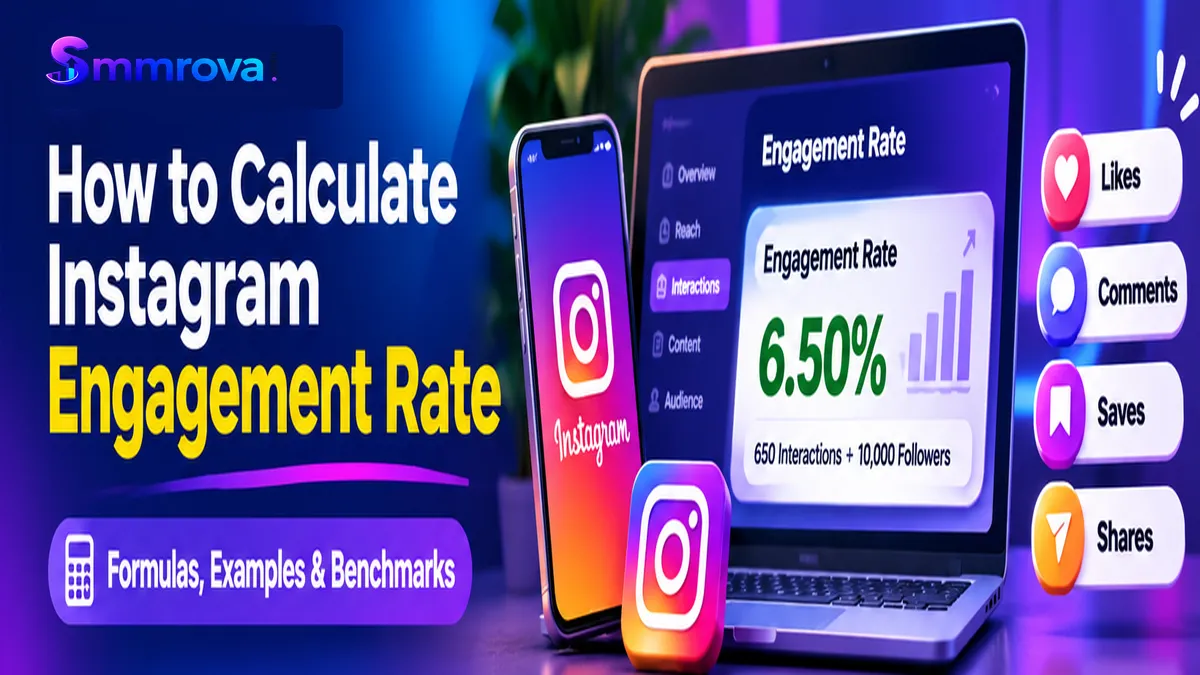
Instagram engagement rate helps you understand how actively people interact with your content. Instead of looking only at follower counts or likes, it measures interactions in relation to your audience size or the number of people who actually see your posts.
If you want to understand whether your Instagram content is performing well, learning how to calculate Instagram engagement rate is an important first step. It can help creators, influencers, and businesses evaluate content performance, compare posts, and identify opportunities to improve their strategy.
In this guide, you will learn the main Instagram engagement rate formulas, see practical calculation examples, understand current benchmarks, and discover how to track your results using Instagram Insights.
What Is Instagram Engagement Rate?
Instagram engagement rate is a percentage that measures how people interact with your content relative to a selected audience or exposure metric.
Common engagement actions include:
- Likes: People showing appreciation for your content.
- Comments: People responding to or discussing your post.
- Saves: People bookmarking your content to revisit later.
- Shares: People sending or sharing your content with others.
Depending on the calculation method, other measurable interactions may also be included. Always define which actions you are counting before comparing engagement rates.
For example, a post with 500 likes and 40 comments has 540 interactions if you count only likes and comments. If the same post also receives 60 saves and 30 shares, its total becomes 630 interactions under a broader calculation.
This is why two engagement reports can show different percentages for the same Instagram account.
How to Calculate Instagram Engagement Rate
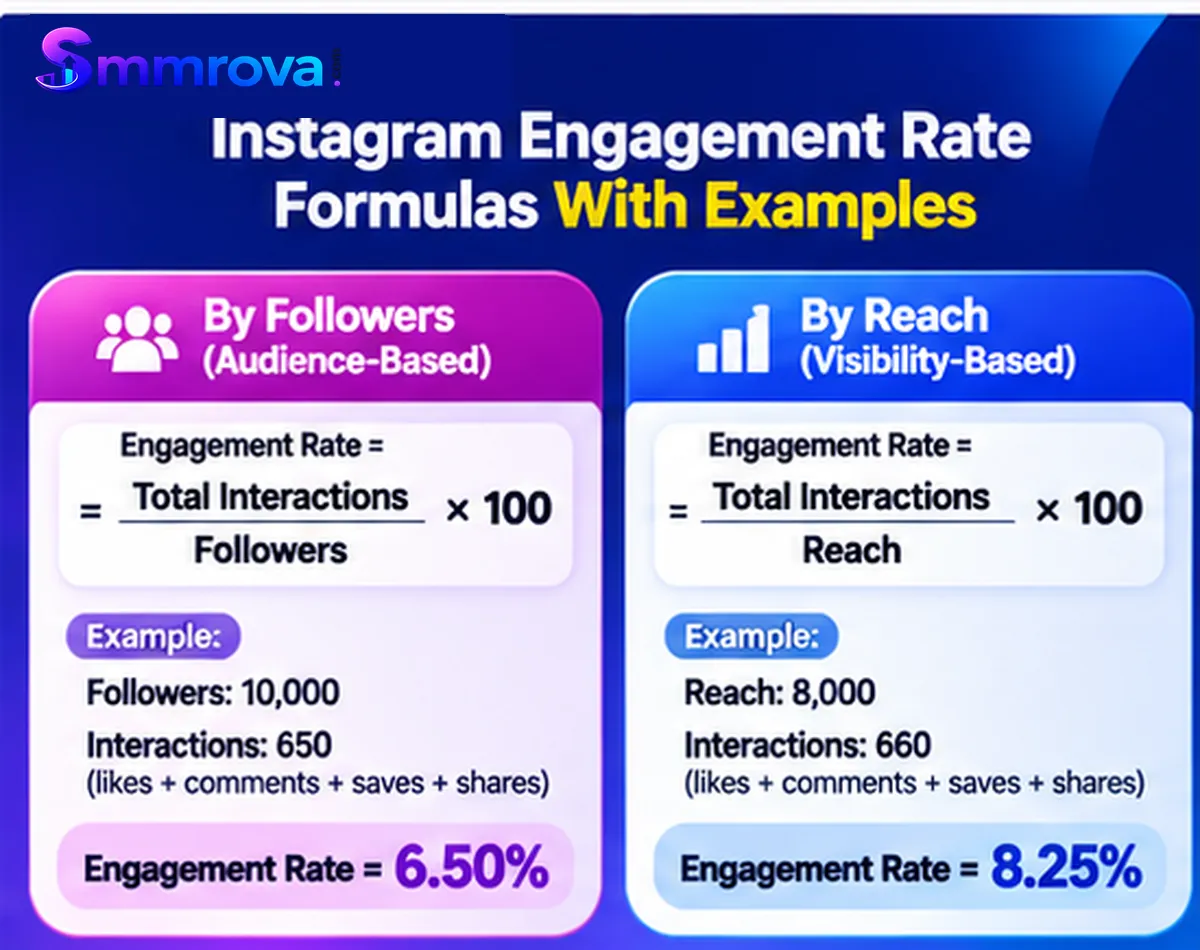
There are two commonly used methods for calculating Instagram engagement rate: engagement rate by followers and engagement rate by reach. Each method answers a different question.
1. Engagement Rate by Followers
This method compares the interactions on a post with the account's follower count. It helps you understand how much engagement a post receives relative to the size of your existing audience.
Formula:
Engagement Rate by Followers = (Total Post Interactions / Total Followers) × 100
For a broader calculation, total post interactions can include likes, comments, saves, and shares.
Example:
Suppose an Instagram account has:
- Followers: 10,000
- Likes: 450
- Comments: 50
- Saves: 100
- Shares: 50
Total interactions = 450 + 50 + 100 + 50 = 650
Now apply the formula:
Engagement Rate = (650 / 10,000) × 100
Result: 6.5%
This means the post generated interactions equal to 6.5% of the account's follower count.
2. Engagement Rate by Reach
Reach-based engagement rate measures interactions against the number of unique accounts that saw a post.
This method is particularly useful when a post reaches many people who do not follow your account.
Formula:
Engagement Rate by Reach = (Total Post Interactions / Total Post Reach) × 100
Example:
Imagine an Instagram Reel receives:
- Reach: 8,000 accounts
- Likes: 400
- Comments: 60
- Saves: 120
- Shares: 80
Total interactions = 400 + 60 + 120 + 80 = 660
Engagement Rate by Reach = (660 / 8,000) × 100
Result: 8.25%
This indicates that the post generated interactions equal to 8.25% of its reach.
Notice that the follower-based and reach-based results are different. Neither is automatically wrong. They simply use different denominators.
Instagram Engagement Rate Calculator: A Practical Manual Method
You do not need a paid analytics platform to calculate Instagram engagement rate. You can use a calculator or a spreadsheet to perform the basic calculation.
Follow these steps:
- Choose the Instagram post you want to evaluate.
- Collect its likes and comments.
- Include saves and shares if they are part of your chosen formula and available in Insights.
- Find the account's follower count or the post's reach.
- Add the interactions together.
- Divide the interaction total by your chosen denominator.
- Multiply the result by 100 to get a percentage.
Here is a simple example:
| Metric | Value |
|---|---|
| Followers | 20,000 |
| Likes | 700 |
| Comments | 100 |
| Saves | 150 |
| Shares | 50 |
| Total Interactions | 1,000 |
Follower-based calculation:
(1,000 / 20,000) × 100 = 5%
If the same post reached 12,500 accounts:
Reach-based calculation:
(1,000 / 12,500) × 100 = 8%
You can repeat this process for multiple posts and compare their performance over time.
How to Calculate Average Engagement Rate Across Multiple Posts
If you want to evaluate several posts, you can calculate each post's engagement rate and then find the arithmetic average.
Formula:
Average Engagement Rate = (Sum of Individual Post Engagement Rates / Number of Posts)
For example:
| Post | Engagement Rate |
|---|---|
| Post 1 | 4% |
| Post 2 | 6% |
| Post 3 | 5% |
Average = (4 + 6 + 5) / 3
Average Engagement Rate = 5%
Another method is to add all interactions and divide by the combined follower or reach totals, depending on the denominator you choose. This produces a weighted aggregate rate rather than the arithmetic average of individual post rates. Do not mix the two methods in the same report.
What Is a Good Instagram Engagement Rate?
There is no single engagement rate that is considered good for every Instagram account. Performance can vary according to audience size, industry, content format, interaction definition, and calculation method.
Industry research can provide useful reference points, but you must check the denominator and methodology before using a benchmark.
Instagram Engagement Rate Benchmarks
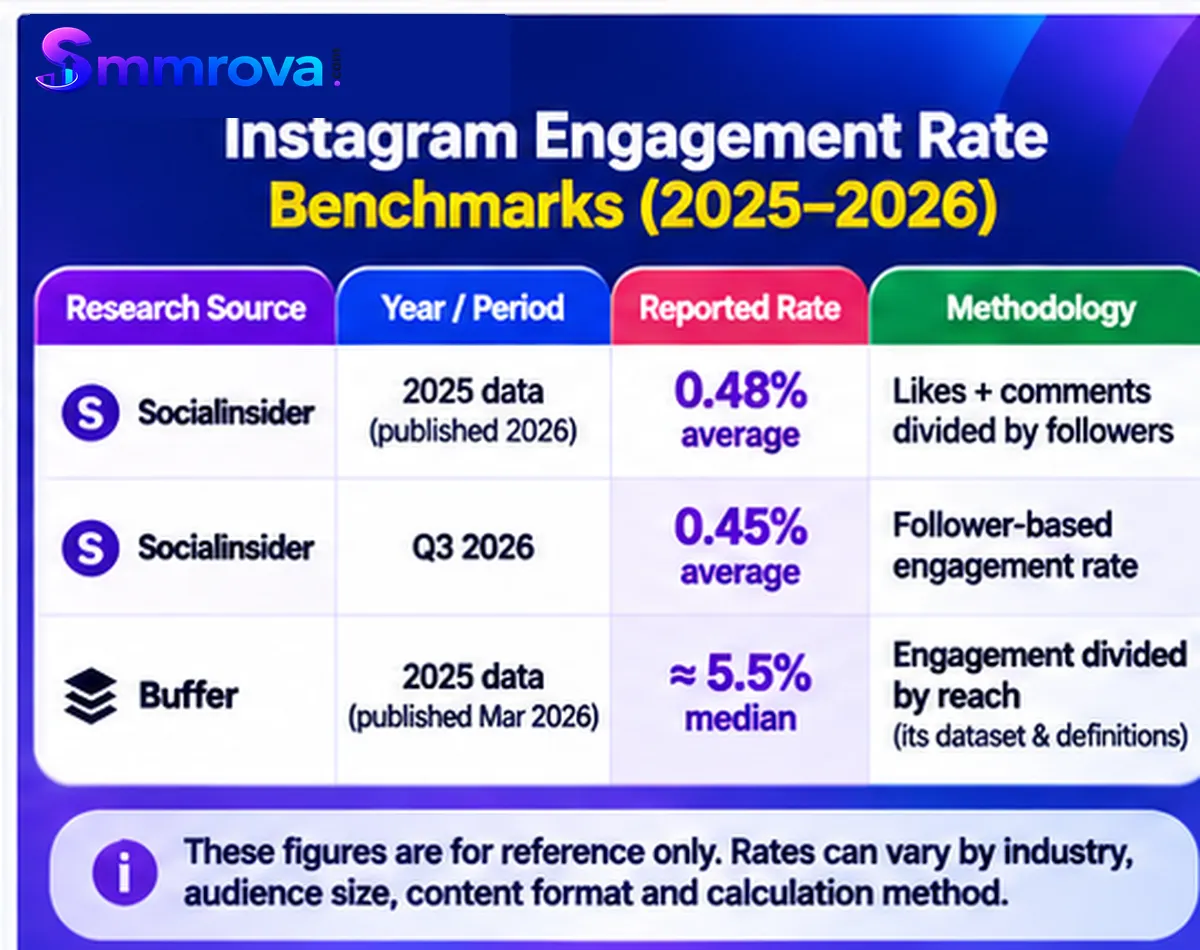
The following figures come from published industry research. They use different methods, so they should not be treated as directly comparable results.
| Research Source | Year / Period | Reported Rate | Methodology |
|---|---|---|---|
| Socialinsider | 2025 data, published 2026 | 0.48% average | Likes + comments divided by followers |
| Socialinsider | Q3 2026 | 0.45% average | Follower-based engagement rate |
| Buffer | 2025 data, published March 2026 | Approximately 5.5% median | Engagement divided by reach, using its dataset and metric definitions |
Sources: Socialinsider's Instagram benchmark research and Buffer's 2026 State of Social Media Engagement report.
These percentages are not a universal target. The follower-based and reach-based rates measure different things, and the studies also use different samples and engagement definitions.
For your own account, compare posts using the same formula, similar content formats, and consistent reporting periods. Your historical performance is often a more useful benchmark than a number taken from another industry report.
Does Follower Count Affect Engagement Rate?
Follower count can influence the calculation because it is the denominator in a follower-based formula. However, having more followers does not automatically mean receiving more interactions.
Smaller accounts may have a closely connected audience, while larger accounts may reach a broader group with more varied interests.
That is why comparing accounts of similar sizes and industries can provide more useful context.
How to Find Engagement Data in Instagram Insights
Instagram Insights provides performance information for eligible professional accounts. You can use it to review interactions and reach without relying entirely on third-party calculators.
Follow these steps:
- Open the Instagram app and go to your professional profile.
- Tap Professional Dashboard or Insights, depending on the available interface.
- Select the reporting period you want to review.
- Open the interactions or content performance section.
- Review the available likes, comments, saves, shares, and reach metrics.
- Open individual posts or Reels to review their performance separately.
- Use the same measurement period and calculation method when comparing results.
Instagram's reporting interface and metric availability can change. Some metrics may differ between posts, Reels, Stories, and account-level reports.
For accurate reporting, use the data displayed for the specific content type rather than assuming every post has identical metrics.
5 Practical Ways to Improve Your Instagram Engagement Rate
Calculating your engagement rate is only the first step. The next step is understanding how to improve the quality of your content and encourage genuine audience interactions.

1. Publish Content That Solves Audience Problems
People are more likely to interact with content that answers their questions or helps them solve a problem.
Research common audience questions and create educational posts, practical tutorials, and useful demonstrations around those topics.
2. Experiment With Carousels and Reels
Different content formats can produce different results. Carousels can communicate detailed information through multiple slides, while Reels can present quick demonstrations, stories, or entertaining ideas.
Test both formats and compare their engagement rates using the same measurement method.
3. Create Content Worth Saving and Sharing
Useful checklists, step-by-step guides, practical tips, and informative graphics can give people a reason to save or share your posts.
Think about whether your content provides value beyond the moment someone first sees it.
4. Respond to Genuine Comments
Replying to comments helps maintain conversations with your audience. It also gives you an opportunity to answer questions, understand customer concerns, and build stronger relationships.
Focus on useful and relevant responses rather than trying to generate meaningless interactions.
5. Review Performance and Improve Gradually
Review your engagement rate regularly. Identify the topics and formats that perform well, then use those findings to improve future content.
Avoid changing your entire strategy after one unusually successful or unsuccessful post. Look for patterns across multiple posts and consistent reporting periods.
Common Instagram Engagement Rate Calculation Mistakes
Even when the formula is simple, small measurement mistakes can produce misleading results.
- Using different formulas: Do not compare a follower-based rate with a reach-based rate as if they were identical.
- Ignoring interaction definitions: Clearly state whether you include likes, comments, saves, shares, and other actions.
- Using the wrong follower count: Use a consistent follower snapshot when calculating rates across multiple posts.
- Mixing content formats: Reels, carousels, and single-image posts can behave differently.
- Using outdated benchmarks: Check the publication year and data period before referencing an industry average.
- Focusing only on likes: Likes alone do not show the complete picture of audience interaction.
- Assuming engagement guarantees reach: A higher calculated rate does not guarantee future distribution, followers, or sales.
Frequently Asked Questions
How Do You Calculate Instagram Engagement Rate?
Add the interactions you want to measure, such as likes, comments, saves, and shares. Divide the total by your follower count or post reach, depending on your chosen formula, and multiply by 100.
What Is a Good Engagement Rate on Instagram?
There is no universal good rate. Compare your results with similar accounts and industry benchmarks that use the same calculation method. Also track your own performance over time.
Is Engagement Rate Calculated by Followers or Reach?
Both methods are used. Follower-based engagement measures interactions relative to your existing audience, while reach-based engagement measures interactions relative to the unique accounts that saw a post.
Do Saves and Shares Count as Instagram Engagement?
Yes, many modern engagement calculations include saves and shares alongside likes and comments. However, some benchmark reports use narrower definitions, so always check the methodology.
Can I Calculate Instagram Engagement Rate Without a Paid Tool?
Yes. You can use Instagram Insights to collect interactions and reach, then calculate the percentage manually with a basic calculator or spreadsheet.
Why Is My Instagram Engagement Rate Different From Industry Benchmarks?
Differences can come from follower count, industry, audience quality, content format, measurement period, interaction definitions, and whether the benchmark uses reach or followers as its denominator.
Final Thoughts
Instagram engagement rate is a useful way to understand how people interact with your content. It helps you move beyond follower counts and evaluate whether your posts are generating meaningful audience responses.
Start with the follower-based and reach-based formulas, choose the method that matches your goal, and calculate your results consistently. Use industry benchmarks as context rather than fixed targets.
Most importantly, focus on creating content that people genuinely want to read, watch, save, share, and discuss. Consistent measurement and practical improvements can help you build a stronger Instagram content strategy over time.
If you are researching Instagram promotion options, you can explore Smmrova's Instagram Likes service and Instagram Followers service. Review the service details and Instagram's applicable rules before making a decision. Artificial engagement does not guarantee genuine audience interest, organic reach, or business results.
For a broader overview of Instagram services, read our Best SMM Panel for Instagram guide.
Research reviewed: November 4, 2026. Benchmark figures and Instagram reporting features can change over time.
 Up nextInstagram Views vs Reach vs Impressions: A Complete GuideInstagram · 9 min read
Popular Instagram services
Ready to grow your social media?
Create a free SmmRova account and pay with bKash, Nagad or Rocket. We never ask for your password.
Create Free Account View ServicesQuestions before you order? Message us on WhatsApp